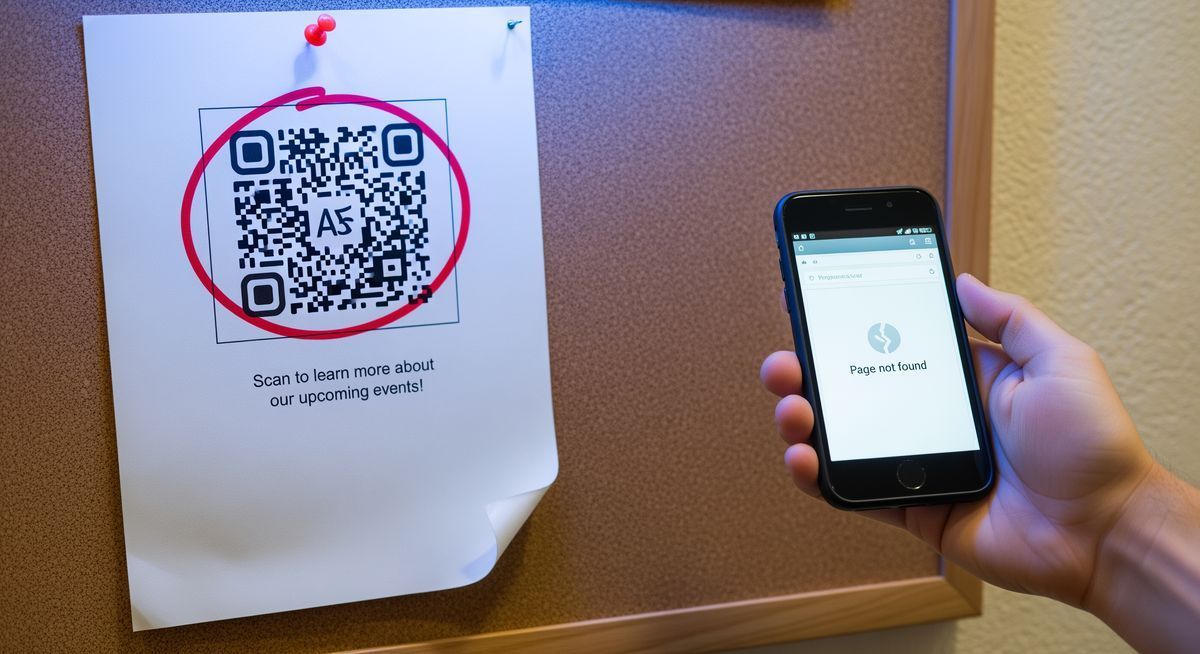
QR Code Scavenger Hunt: How to Make One in 5 Steps
Plan the stops, write the clues and hide the codes in five steps, with a ready Christmas hunt. Build clue pages on FreeQR you can change after printing.
By the end of this guide you will have a working QR code scavenger hunt, printed and hidden. Players need nothing but their phone camera.
A QR code scavenger hunt puts a code at each stop that opens a page with the next clue. Plan the route, make a clue page for each stop, print the codes and hide them in order. With FreeQR you can still change a clue after the codes are printed.
Key takeaways
Build each clue page on FreeQR, and fix or move a clue later without reprinting the code.
Players need no app. The camera on most phones opens each clue page.
Print every code at least 2 cm square and scan each one before you hide it.
How a QR code scavenger hunt works
Each stop has a printed code. A player scans it and a page opens with the clue that leads to the next stop. The last page tells them where the prize is.
That solves the usual problems with paper clues, which get rained on, blown away, or reprinted because of one typo. It also skips the hunt apps that charge per event and make every player install something first.
Nobody needs to download anything. On an iPhone, the Camera app scans QR codes and shows a link to tap. Android works too, through the camera or Google Lens. That makes a hunt one of the easiest QR code ideas to run. A house, a classroom or an office becomes a game.
How to make a QR code scavenger hunt
Five steps take you from an empty room to a finished hunt.
Step 1: Plan your stops and the order
Pick four to six spots that are safe and easy to reach. A hunt for young kids can stay in one room. Teens can handle a whole neighborhood.
Write the order down before you do anything else, because every clue points to the next stop. Decide where the first code goes: hand it out, or tape it somewhere obvious. Then pick where the prize waits.
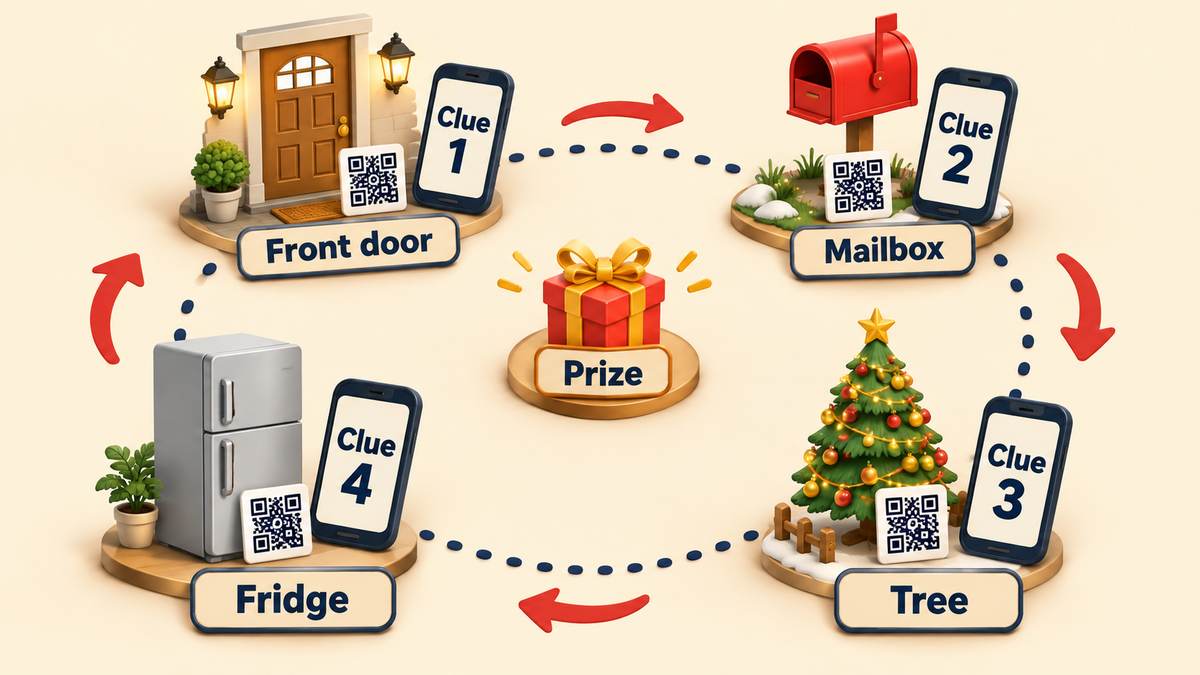
For several teams, make the route a loop. Each team starts at a different stop and finishes where it began, so nobody crowds the same spot.
Step 2: Write a clue for each stop
Every clue needs to lead to exactly one place. Three styles work well:
A short riddle, such as "I hold your letters but never read them" for the mailbox.
A photo of the next spot. Close-ups are hard, wide shots are easy.
A question about the place, answered by looking around when you get there.
Match the difficulty to your players. Younger kids do best with photos of places they already know. Add a hint line under each clue. A hint keeps a stuck team moving instead of giving up.
Step 3: Make a clue page for each stop
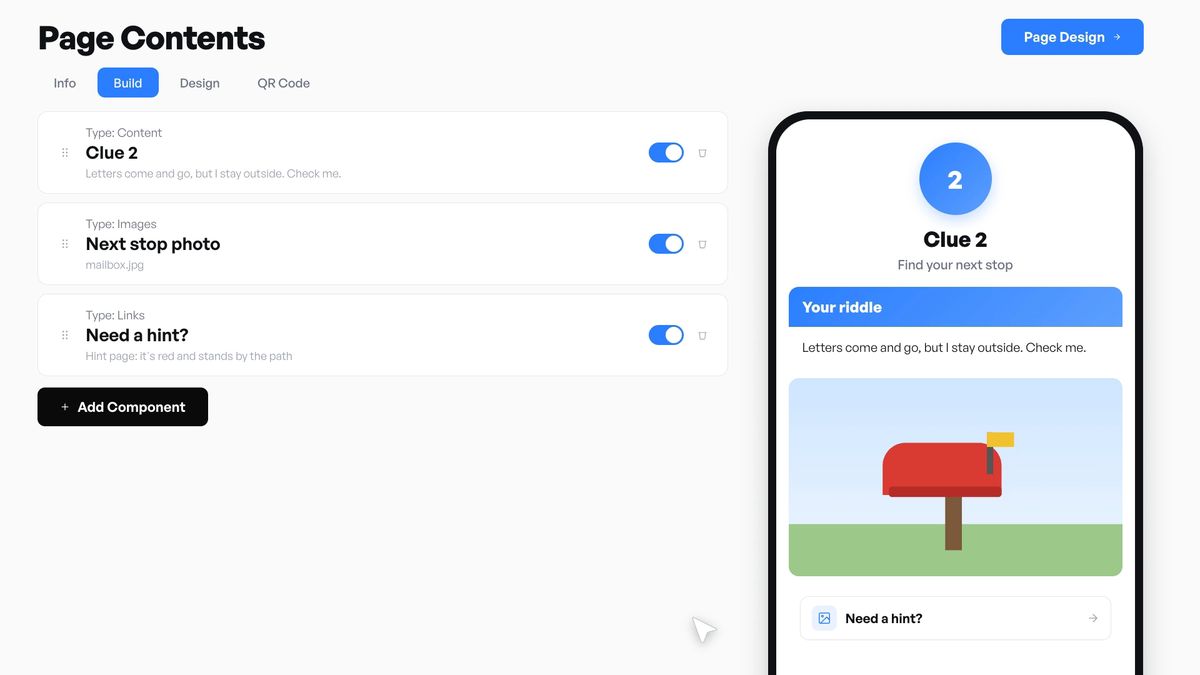
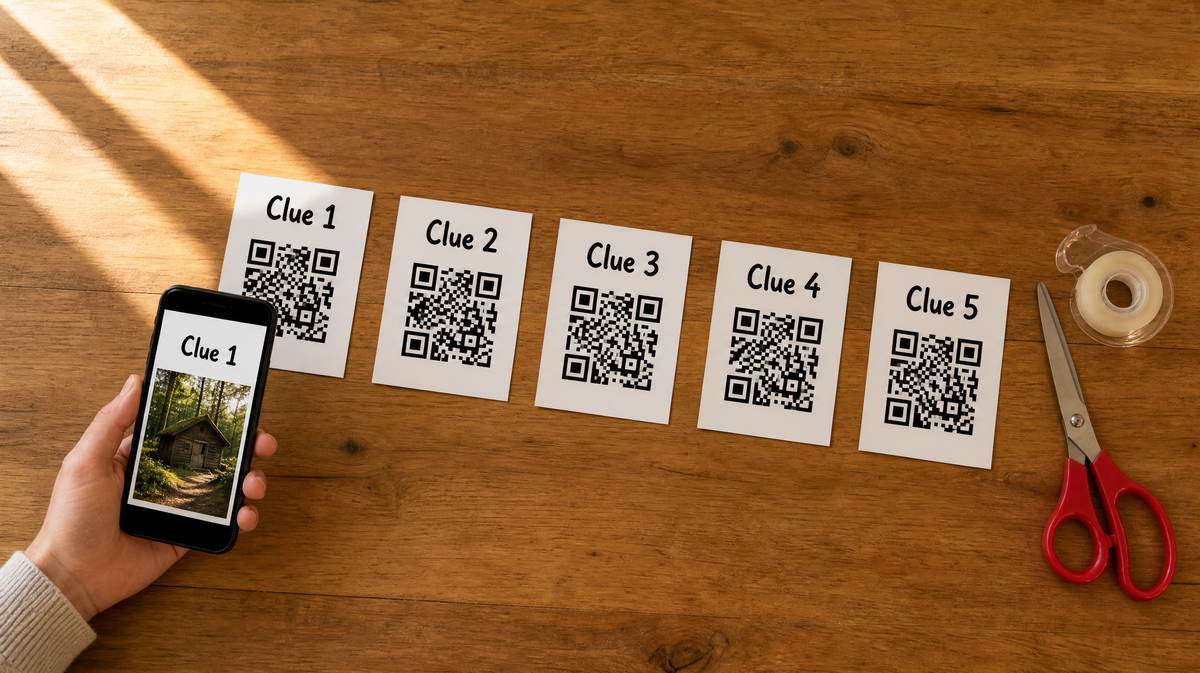
Each code opens a landing page, and that page shows the clue. On FreeQR, create a code and open the page editor. Add a heading like "Clue 2", the photo or riddle, and a "Need a hint?" button.
A page can also ask a question. Add a form so players type their team name and answer before moving on. That turns a hunt into a review game for a class or a quiz for a party.
Keep a long riddle sheet in a Google Doc instead? You can make a QR code for a Google Doc and link to it from the clue page. Save the page, then do the same for the next stop. Build your clue pages on FreeQR and preview each one on your phone before you print.
Step 4: Decide which stops need a code you can change
Not every stop needs a page you can edit later. Use one where plans might change, such as the first clue, the prize location or an outdoor stop.
A riddle that will never change can go in a free text QR code instead. It needs no sign-up, and the words show up right on the player's screen. The catch: you can't edit it later.
FreeQR's free plan includes three dynamic QR codes, enough for the start, the prize and one outdoor stop.
Step 5: Print, test, and hide the codes in order
Print each code at least 2 cm (0.8 in) square. Codes scanned from further away need to be bigger. FreeQR's size guide uses a simple rule: width equals scanning distance divided by 10. A code on a wall scanned from 1 m away needs to be about 10 cm wide.
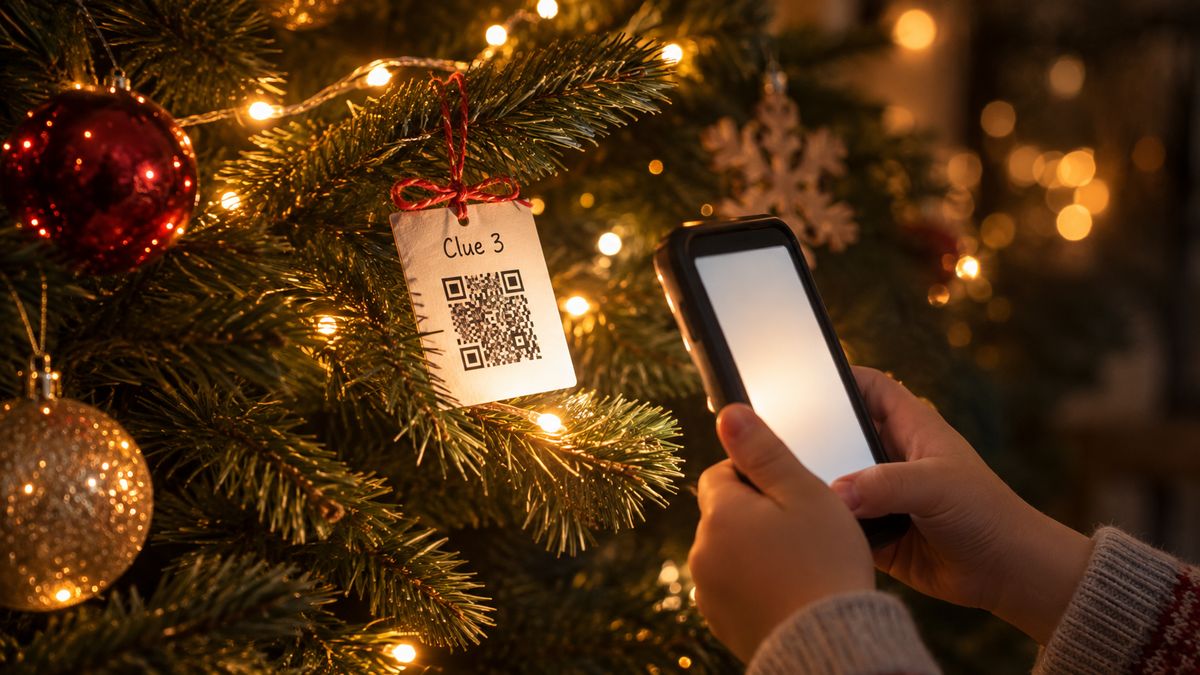
Label every card ("Clue 3") so you hide them in the right order, and keep the first one back. Then scan each code from where players will stand. If one fails, see what to do when a QR code won't scan.
Tape codes firmly and out of the way of passers-by. In a race, a player may move a code to slow the next team down.
Change a clue after the codes are printed
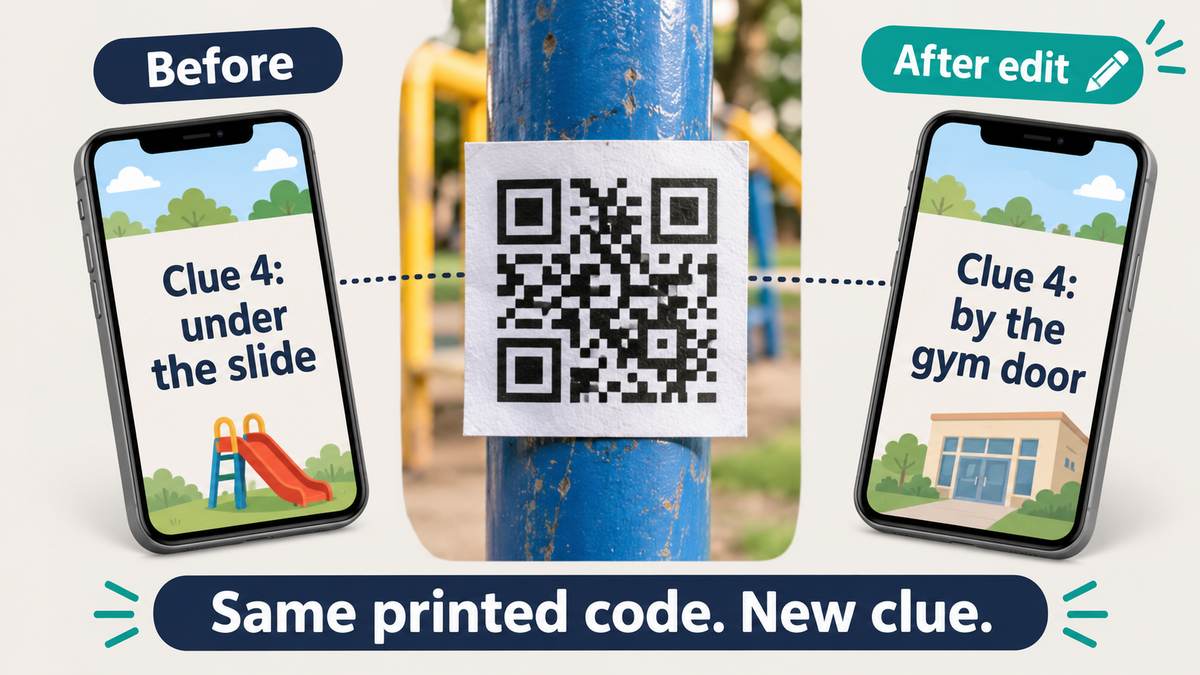
A clue on a page can change after the code is printed. Edit the clue page, save it, and the same printed code shows the new clue straight away.
That saves you from the small disasters every hunt has. A riddle has a typo, or the prize has to move ten minutes before guests arrive. You fix the page and leave the paper where it is.
It also means you can run the hunt again. Keep the printed cards, write new clues next term or next Christmas, and reuse them. If you plan to store codes for a while, it's worth knowing whether QR codes expire.
Example: a 5-stop Christmas scavenger hunt
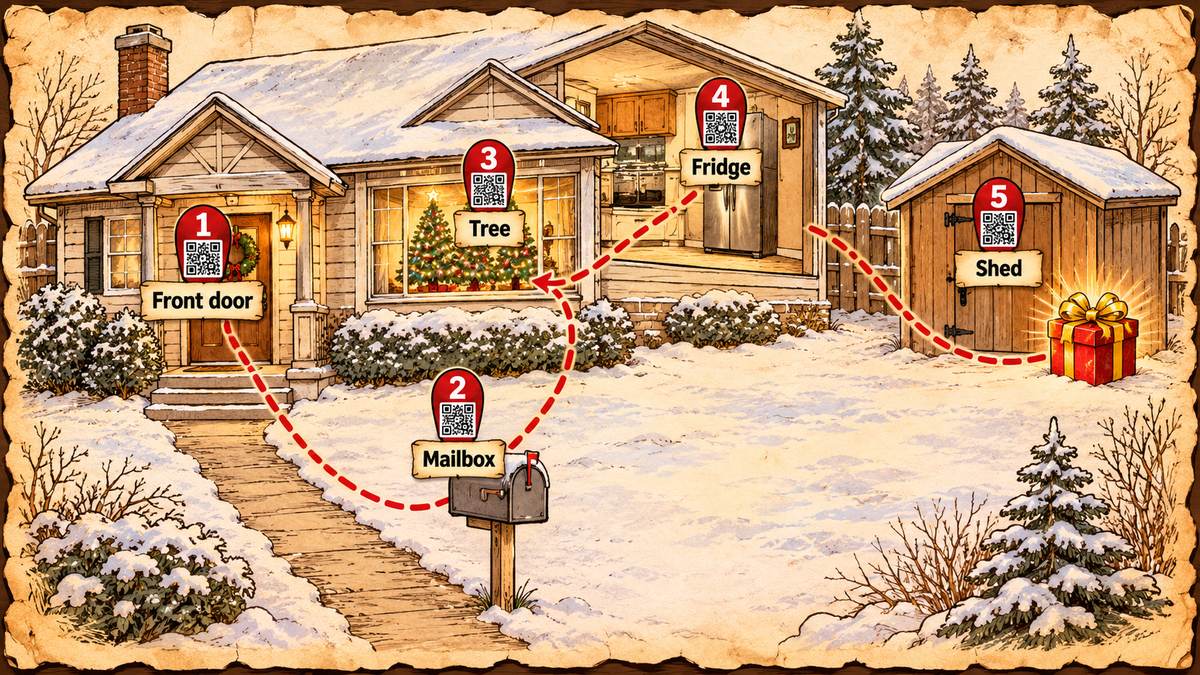
This five-stop hunt covers a house and yard. Copy it, then swap the spots for your own.
Stop | Where the code hides | Clue on the page | Code type |
|---|---|---|---|
1 | Handed out at the front door | "Letters come and go, but I stay outside. Check me." | Dynamic (start) |
2 | Inside the mailbox | "I wear lights but never go out. Look under my branches." | Text |
3 | Under the Christmas tree | "I'm cold inside and covered in magnets." | Text |
4 | On the fridge door | "Where the bikes sleep in winter." | Text |
5 | Garage or shed | "You found it. Look behind the paint cans for your prize." | Dynamic (prize) |
The first and last stops use dynamic codes, so you can change the start or move the prize on the day. The middle riddles stay fixed. Swap the stops and the riddles, and the same layout works for an Easter morning.
QR code scavenger hunt ideas
The format fits almost anywhere people can walk around:
Classroom review. Put a question at each stop and have students answer before they find the next code. There are more ways to use QR codes in the classroom once the hunt is over.
A teen birthday around town, with photo clues of local landmarks and a prize back at home.
Office onboarding. New hires find the rooms and desks they need, one code at a time.
Fairs and festivals, with a code at each stand so visitors see every booth, not just the first three.
Holidays: codes inside plastic Easter eggs, a Halloween trail down the street, or the Christmas hunt above.
A library or museum trail, where each code opens the story behind an item.
Keep score and run teams
For teams, start each group at a different stop on the loop. One person scans, and the whole team reads the clue together.
If you want answers, add a form to a clue page and collect each team's name and answer. Teachers who already use Google Forms can use a QR code for a Google Form at each stop.
Scan counts on each clue page show how many players reached that stop. They don't show who scanned. For a live leaderboard on a big screen, a paid hunt app is the better tool.
Tips for a smooth hunt
Hide codes where players have to look, not where they have to dig.
Mix easy and hard stops so everyone gets somewhere.
Put "Clue 3 of 5" on each page so players can tell how many stops are left.
Make the codes fun to find: a bright color, or a frame that says "Scan for your next clue".
Walk the route yourself the morning of the hunt.
Have a prize waiting at the last stop, even a small one.
QR code scavenger hunt FAQ
Do you need an app for a QR code scavenger hunt?
No. Players scan each code with their phone camera, and the clue page opens in the browser. Dedicated hunt apps add live scoring. Past a handful of players, they cost money: Goosechase is free for three players and starts at $99 for 10.
How do you make a digital scavenger hunt?
Put the clues on phones instead of paper. Each printed code at a real place opens a page with the next clue, a photo or a question. Players move between real spots, and you can update any clue page without reprinting.
Can you make a QR code scavenger hunt for free?
Yes. Free text QR codes from freeqr.com need no sign-up and work well for riddles that won't change. FreeQR's free plan adds three dynamic QR codes. Use them for the clue pages you may need to edit.
How do students answer questions in a QR code scavenger hunt?
Add a form to the clue page so students type their name or team and their answer. Responses collect in one place, so you can check them at the end. A Google Form linked from each stop works too.
Can you reuse QR code scavenger hunt codes next year?
Yes, if each code opens a clue page you can edit. Keep the printed cards, change the clues, and run it again with a new route. A text code shows the same words it was printed with, so print new ones for new riddles.
How can you make a fun QR code for a hunt?
Change its colors, add a frame with a short line like "Scan for your next clue", and number each card. Keep the contrast strong. Test every code after you style it.
Start your hunt
Because each clue lives on a page, you can fix a typo or move the prize right up to the start. For your next game, browse more QR code ideas. When you're ready, make your first clue code on FreeQR.
Written by Andy Lee, QR Technology Specialist at FreeQR. FreeQR helps people create dynamic QR codes with built-in landing pages and scan analytics. Learn more about us.