How to Use QR Codes in the Classroom: 6 Ideas That Work
Six classroom activities you can run from one printed code, where to put it so students actually scan, and how to make one free with FreeQR.
By the end of this guide you will have one QR code working in your classroom, printed and tested, with no app for anyone to install.
Here is how to use QR codes in the classroom. You put a printed code on a worksheet, poster or station card. Scanning it opens whatever you pointed it at. That can be a video, a reading, an answer key or a form. Paste your link into FreeQR's free QR code generator and you have a code in about a minute.
Key Takeaways
A code on paper does the handoff. No long link read aloud, no extra printout to lose.
FreeQR's free generator turns any link into a code in about a minute. A basic code needs no account.
Print once and change where the code goes next term. The laminated station cards survive the curriculum.
QR codes ask you to learn almost nothing new. Students know what a code is, and the camera in front of them already reads one. These QR code ideas start where your paper already is.
What you need before you start
Check one thing before planning an activity around phones, because it is probably wrong.
Not phones, usually. Most districts do not let students use personal devices during lessons. The Consortium for School Networking put that at 58% of districts in its 2026 State of Ed Tech report.
The hardware is already there. Nearly every district now issues a device, so plan for the school tablet or Chromebook.
No app needed. Device cameras read a code straight from the camera screen. That matters where installs are locked down.
Print the code at roughly two centimetres square or larger. Smaller than that and it will not scan reliably from a desk.
Classroom ideas that actually work
Most teachers using QR codes in the classroom start with one of these six. Each begins with paper you already print.
Share worksheets, readings and answer keys
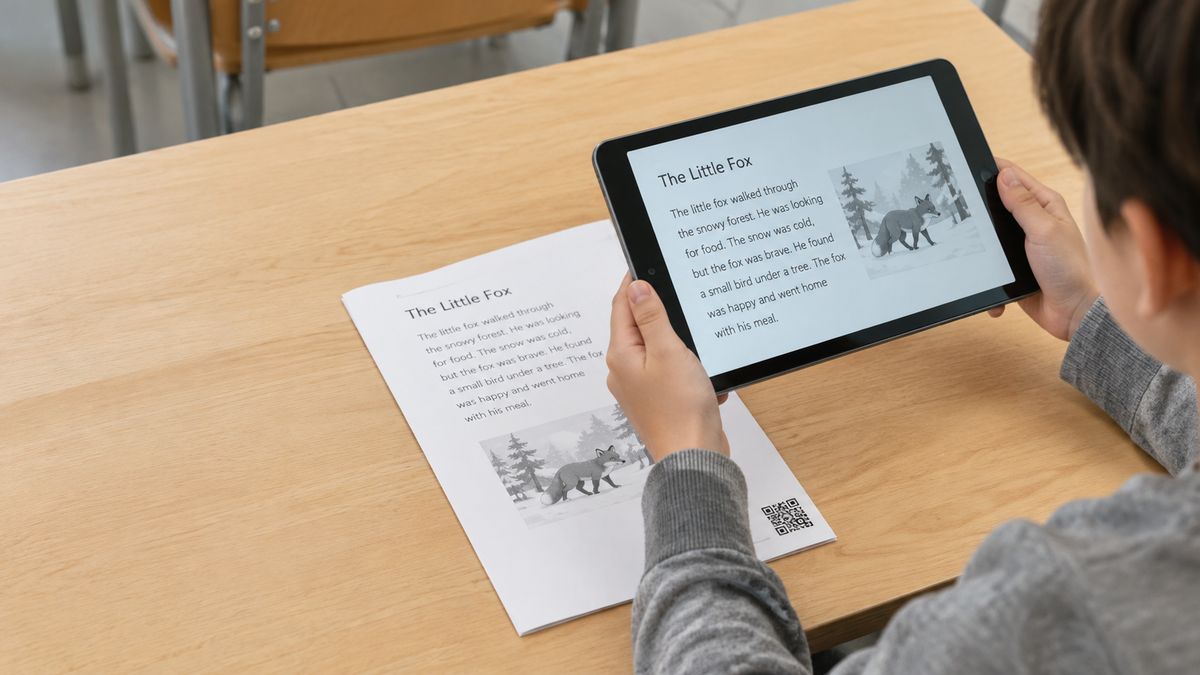
Put a code in the corner of a worksheet and it opens the reading, the extension task or the answer key.
The answer key is the version teachers keep. Students self-check as they finish. You are not reading answers aloud to a room working at six different speeds. Point the code at a PDF worksheet or answer key and the same sheet works next period.
Two codes on one sheet do quieter work. One opens a scaffold, the other a harder question for students who finished early.
Put a video or audio clip behind the code
A code can open a demonstration, a read-aloud or a worked example students replay as often as they need.
This is the part a handout cannot do. A student who missed the demonstration watches it again, without asking you to repeat it. Record yourself reading a passage, or point the code at a short video.
Reading time is where this earns its keep. The National Assessment of Educational Progress found 31% of 13-year-olds never or hardly ever read for fun in 2023, and 42% among lower-performing students. A code on a book bin that opens a read-aloud gives a reluctant reader a way in.
Set up learning stations around the room
One code per station, each opening a different task, and groups rotate without you resetting anything. Number the stations so nobody loses their place. Keep one shared device per group, and tape the card down so it survives the day. Students scanning a code at a station manage the rest themselves.
Run a classroom scavenger hunt
Each code holds the next clue. Students move, the trail runs itself, and you watch rather than direct.
A QR code scavenger hunt or quiz game works in a classroom, a corridor or around the school. Hide codes that open a riddle. Make the answer the next location. One warning: scan every code first. A dead link halfway through ends the hunt.
Collect votes and exit tickets
Project one code on the board at the end of a lesson and you have an exit ticket. The same code handles quick polls and anonymous questions that do not put anyone on the spot. Point it at a Google Form and the responses land in one place.
Share updates with parents and substitutes
A code on a newsletter, a classroom door or a sign-up sheet opens this week's information for families.
It works for a photo gallery after a trip, a reading list, or the form you would otherwise chase. It also covers the day you are out. Leave a code on the desk that opens the plan, and a substitute scans it instead of guessing.
How to make a classroom QR code
Four steps, and the last one is the one people skip.
Get the link to whatever you are sharing
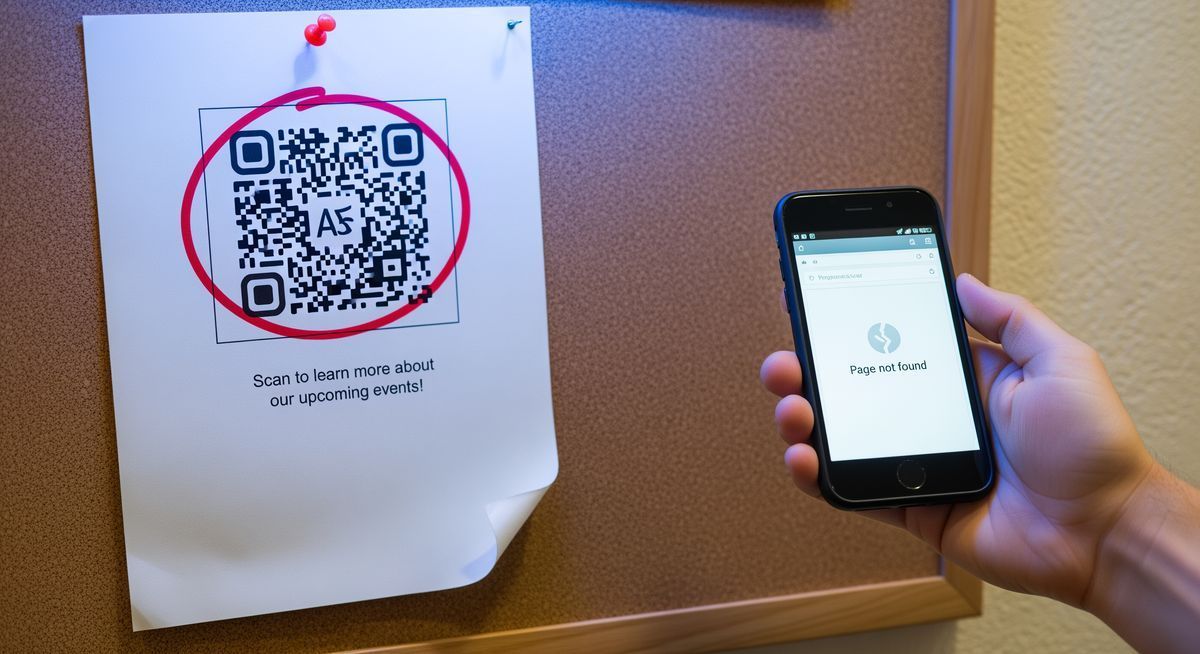
Open the file, video or form and copy its link. A Google Doc needs sharing set so anyone with the link can open it. Otherwise the code hits an access-denied screen. Starting from a document? Make a QR code for a Google Doc the same way.
Paste the link into the generator
Paste it into the FreeQR generator and the code appears as you type. A basic code is free and needs no account.
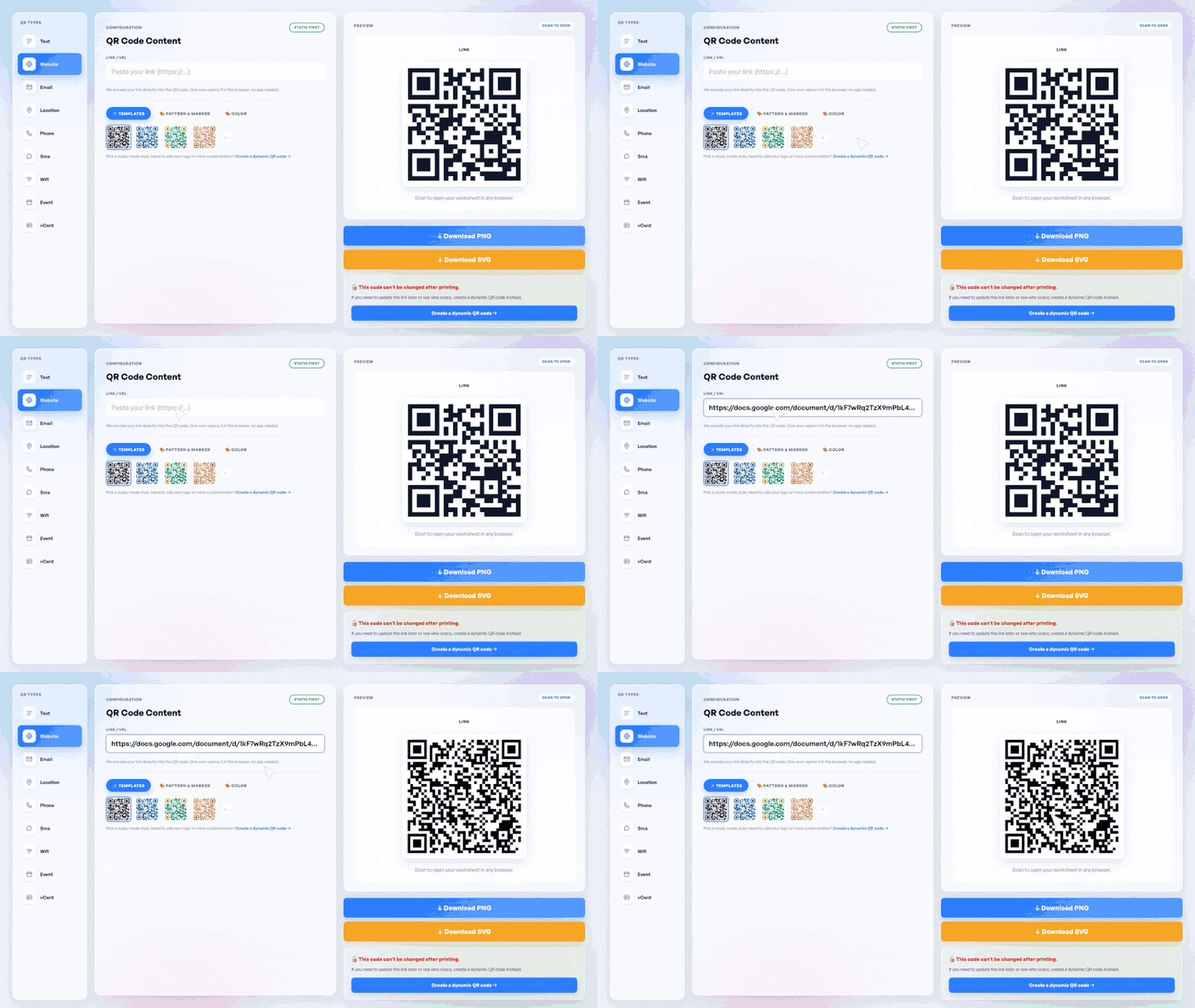
Download and place it
Drop the image into your worksheet, poster or station card. Keep it clear of the fold and the staple line. Leave white space around the edges.
Scan it yourself before the lesson
Scan the printed copy on the device your students will actually use. Printing is the step you cannot undo. A code that works on your phone can still fail on a school tablet.
How to make a QR code for Google Classroom
Point a code at your Google Classroom and families reach the class page in one scan.
Open your class in Google Classroom and copy the class link.
Paste that link into the generator and download the code.
Print it where people need it: a poster by the door, a letter home, or the table at back-to-school night.
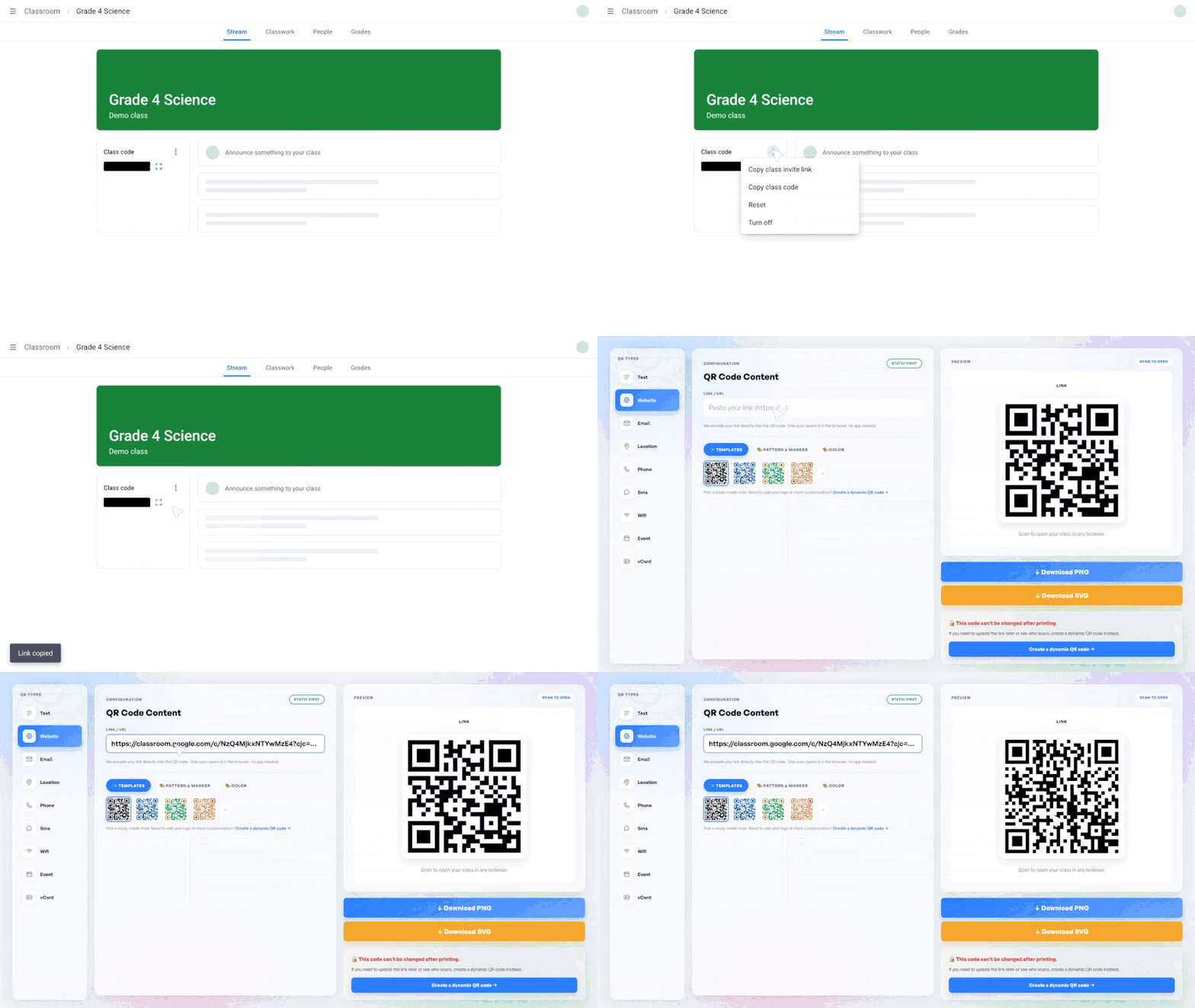
One clarification. This is a code you make that opens your class page. It is not the join code Google generates for students entering a class.
Where to put the code in your classroom
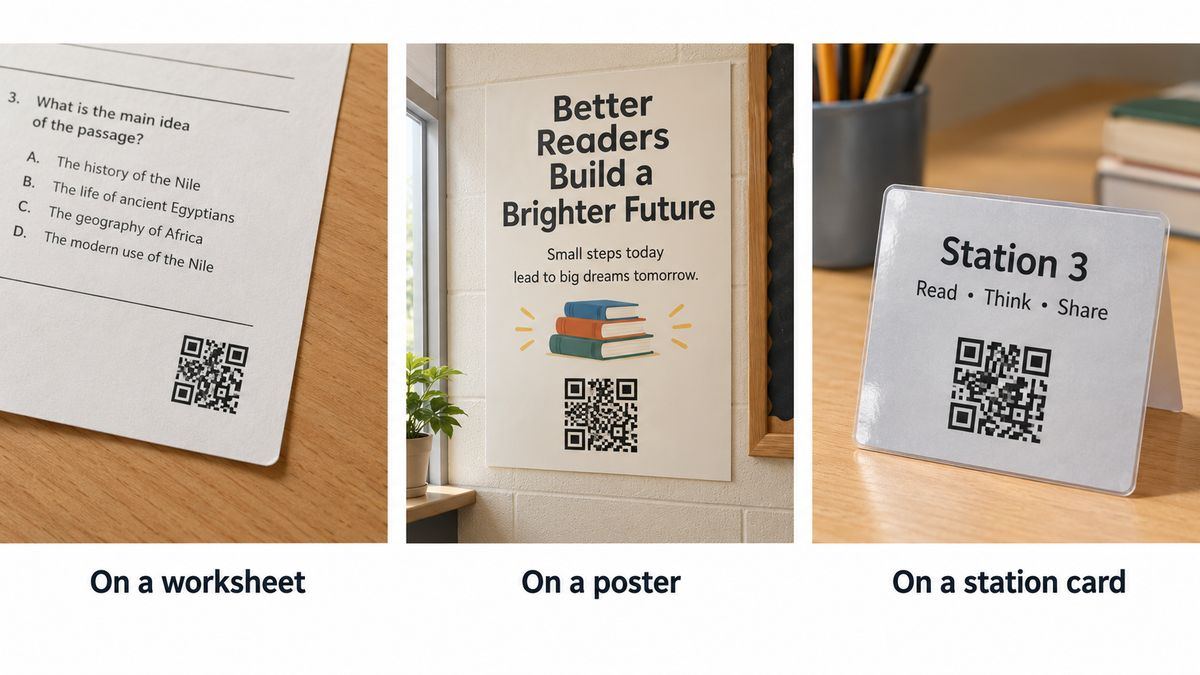
Placement decides whether a code gets used, and the good spots are already on paper you print.
Worksheet corner, out of the way of the writing
Wall poster or bulletin board, for anything the whole class needs
Station cards, laminated and taped down
Book bins, pointing at a read-aloud of what is inside
The classroom door, for parents and anyone covering your class
A newsletter or letter home
Two mistakes to avoid. Glossy lamination throws glare under classroom lights, so matte survives better. A code printed across a fold will not scan at all.
Print once, change the link later
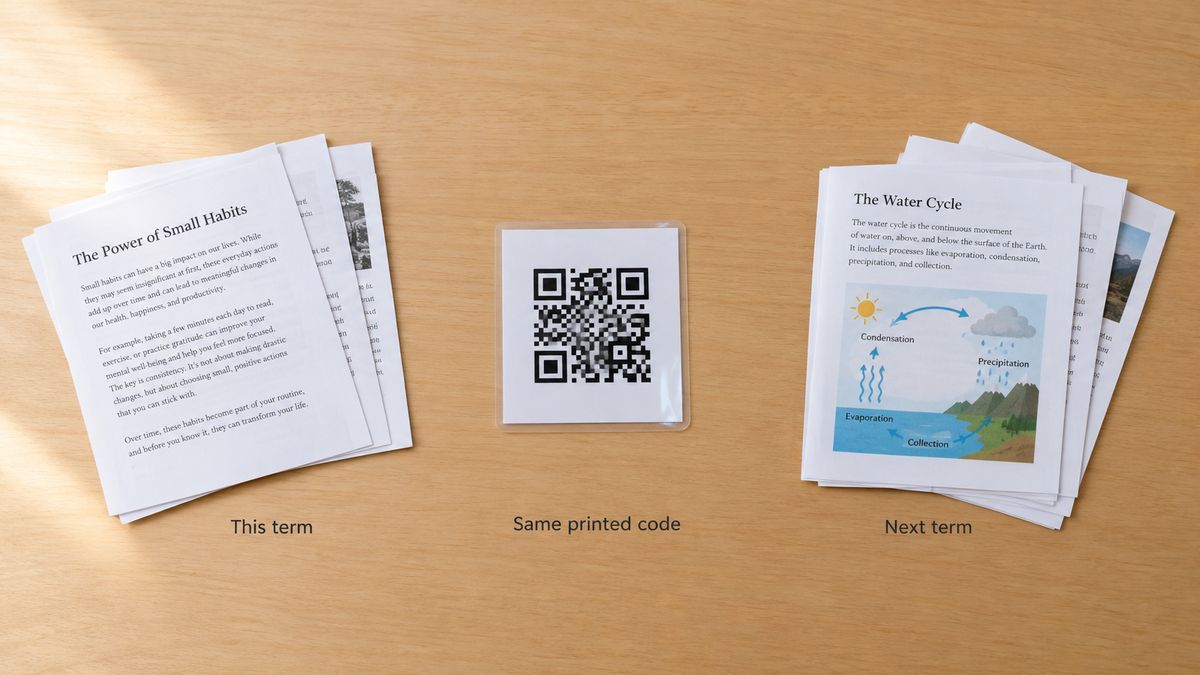
A code you can repoint is the difference between printing station cards once and printing them every year.
The printed pattern never changes, but the page it opens can. When the reading list changes in September, you update the destination. Last year's cards still work.
A basic code is fixed once printed. If you create a code you can update later, scanning opens a FreeQR page showing your current content. You change what sits behind it whenever the lesson does.
What to plan for
None of the limits below is a reason to skip the idea.
Not every student has a device in hand at once. Pair students at a shared tablet, or project the page instead.
Scanning safety is worth teaching once. Show students where a code leads before they tap through. The habit carries outside your room.
The network matters more than the code. If the wifi is having a day, the activity stops. Keep a paper version of anything a lesson depends on.
Frequently asked questions
How do students scan a QR code if phones are not allowed?
They use the school device. Most districts ban personal phones during lessons. Plan around the tablet or Chromebook your class already has, or project the page.
How do I make a QR code for my classroom?
Copy the link, paste it into a free generator, then download and print the code. Scan the printed copy on a school device first. The whole process takes about a minute.
Do students need an app to scan a QR code?
No. Tablet and phone cameras read codes natively from the camera screen. That matters on managed school devices, where new installs need approval you cannot chase.
How do I use QR codes in an elementary classroom?
Use fewer stations, print larger codes, and keep one task behind each code. Kindergarten classes manage it with a shared tablet and an adult nearby.
Why use QR codes in the classroom?
They remove the long link read aloud and the extra handout. A code works on paper you already print, needs no app, and lands a student on the right page.
What are the disadvantages of QR codes in the classroom?
They need a device and usually a network, and a code is only as good as the link behind it. Test every code first, and keep a paper fallback.
How do I get a QR code for my Google Classroom?
Copy your class link from Google Classroom, then make a code for it. This differs from the join code Google generates for students entering a class.
One worksheet is enough to start
Pick the worksheet you are already printing this week and put one code in the corner. Scan it, watch what students do, then decide if a station rotation is worth building. For more QR code ideas beyond the classroom, the pillar guide covers the rest. Create a classroom QR code free when your link is ready.
Written by Andy Lee, QR Technology Specialist at FreeQR. FreeQR helps people create dynamic QR codes with built-in landing pages and scan analytics. Learn more about us.