How to Make a QR Code for a YouTube Video
Create a YouTube QR code in under a minute. Two methods: redirect to YouTube or embed on a landing page. Free forever on FreeQR.
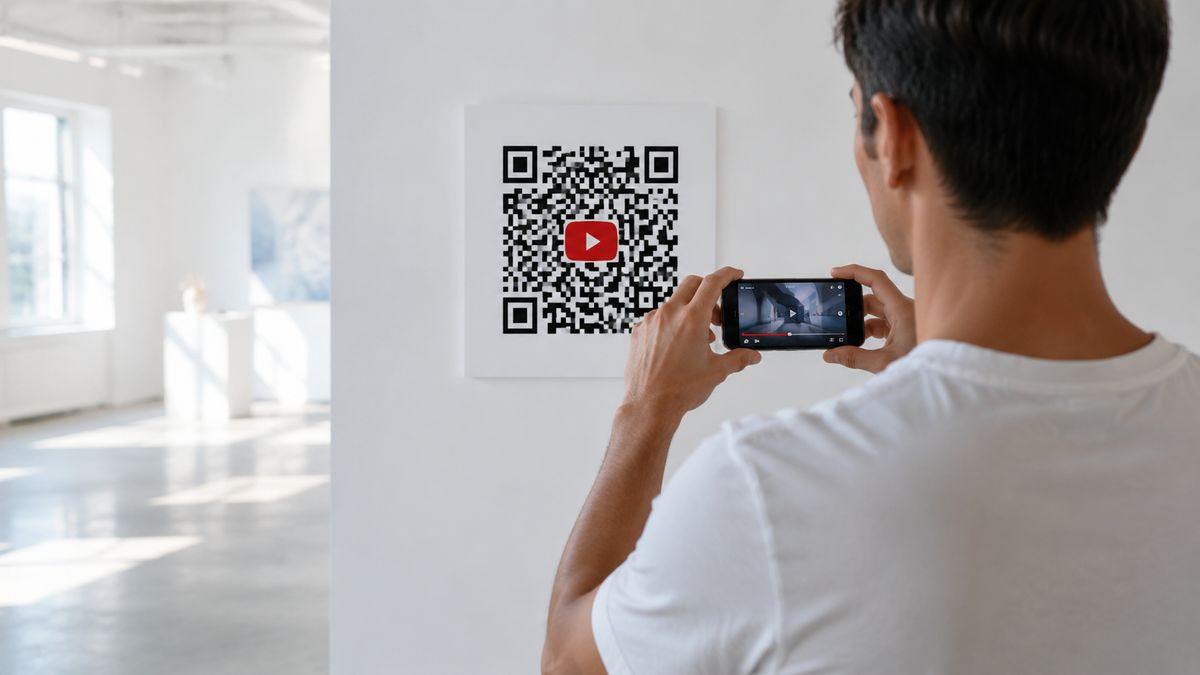
To make a QR code for a YouTube video, copy the video URL and paste it into a QR code generator like FreeQR. You can create a static code that never changes, or a dynamic code you can update anytime. Dynamic codes give you two options: send scanners straight to YouTube, or embed the video on a branded landing page.
Static: simple and permanent, but you cannot change it after printing.
Dynamic redirect: scan opens the video on YouTube. Update the link anytime.
Dynamic embed: scan opens a landing page with the video playing on it.
This guide covers both, step by step, using FreeQR as the example. The general process works with most generators.
What You Need
A YouTube URL (video, channel, or playlist link)
A QR code generator (we use FreeQR in this guide)
How to Create a Static YouTube QR Code
A static QR code holds your YouTube URL inside the code itself. It is the simplest option: paste the URL, generate, download. No account needed.
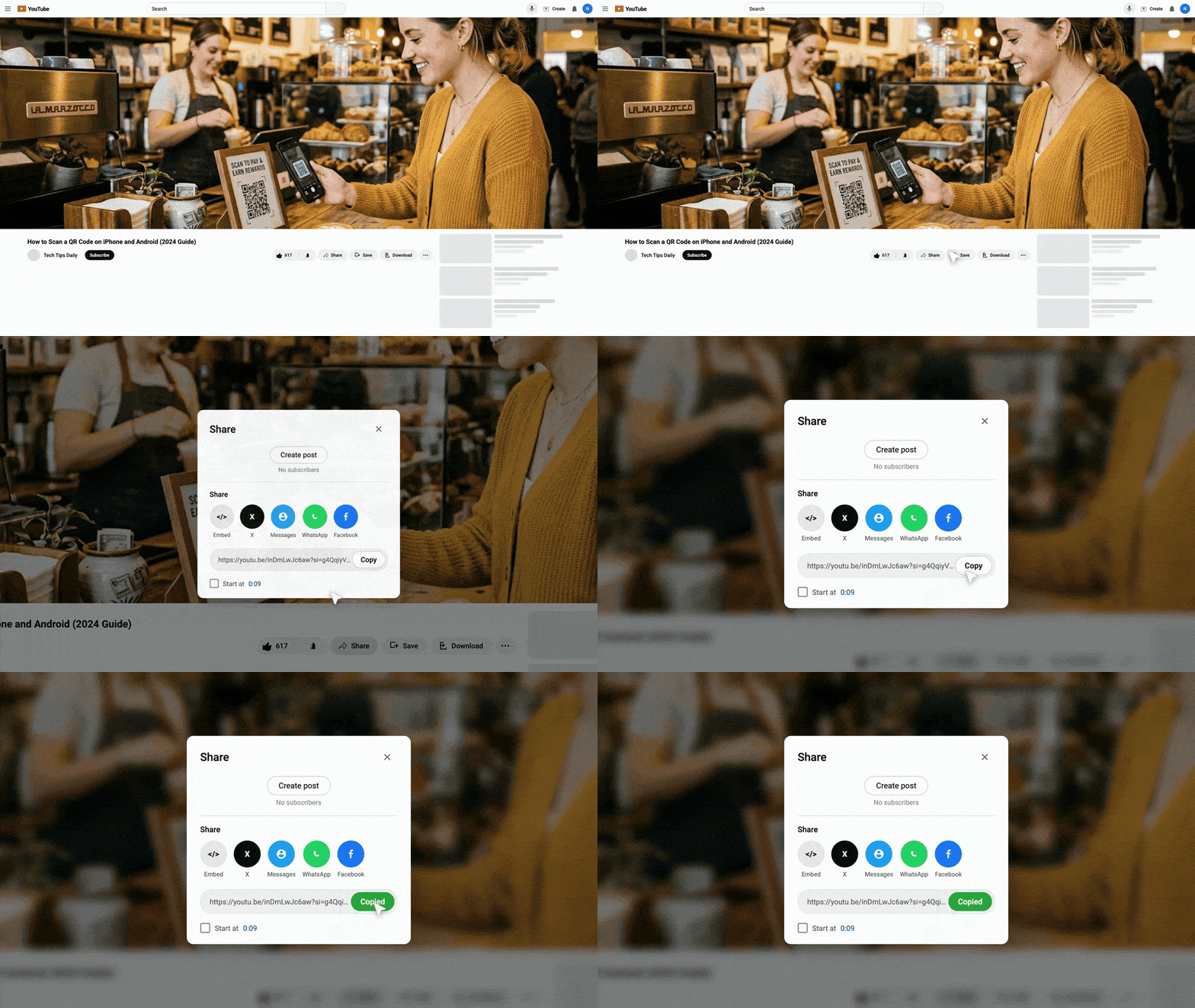
Copy the YouTube URL you want to share (tap Share below the video, then Copy link).
Open a free QR code generator.
Paste the URL and generate the code.
Download as PNG or SVG.
The tradeoff is that a static code cannot be changed after you create it. If the video gets deleted, or you want to link somewhere else, you have to make and reprint a new code. There is no scan tracking either.
Static works well for one-time use, like a wedding invitation linking to a couple's video, or a worksheet linking to one lecture. If the video will never change and you do not need analytics, static is enough.
How to Create a Dynamic YouTube QR Code
A dynamic QR code points to a short link you control instead of the video URL. You can change where it sends people anytime, without reprinting. You also get scan analytics: how many people scanned, from where, and on what device.
Dynamic codes offer two methods. Both start the same way: copy the URL, then choose how the code behaves when scanned.
Copy Your YouTube URL
Open the video, channel, or playlist you want to share on YouTube.
For a video, tap Share below the player, then tap Copy link. For a channel or playlist, open it and copy the URL from your browser's address bar.
Any of these formats work: - youtube.com/watch?v=VIDEO_ID - youtu.be/VIDEO_ID - youtube.com/playlist?list=PLAYLIST_ID
Method 1: Direct Redirect to YouTube
This method sends scanners straight to YouTube. There is no landing page in between. The viewer scans and the video opens right away.
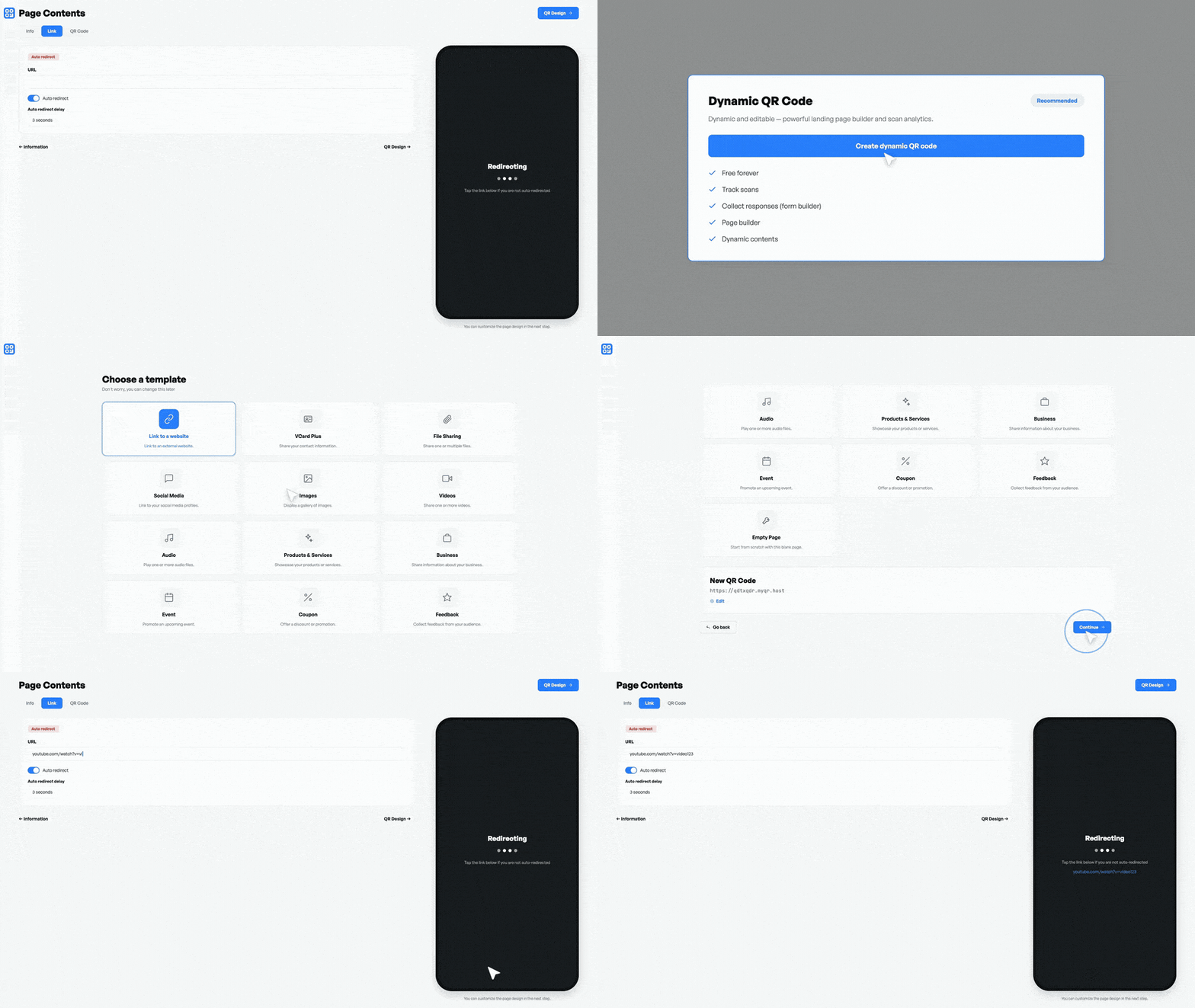
Open your QR code generator and create a new dynamic QR code.
Add a link component to the landing page editor. Paste your YouTube URL.
Turn on the auto-redirect option. This skips the landing page and sends scanners directly to YouTube.
Save your changes.
On FreeQR, this uses the Links component with the Auto redirect toggle turned on. Other generators may call this "direct URL" or "URL redirect" mode.
Best for: single video promotions, concert posters, and product packaging where instant playback matters.
Method 2: Embedded YouTube Player on a Landing Page
This method opens a branded page with the YouTube video embedded. Visitors watch without leaving your page, and you can add other content around the video.
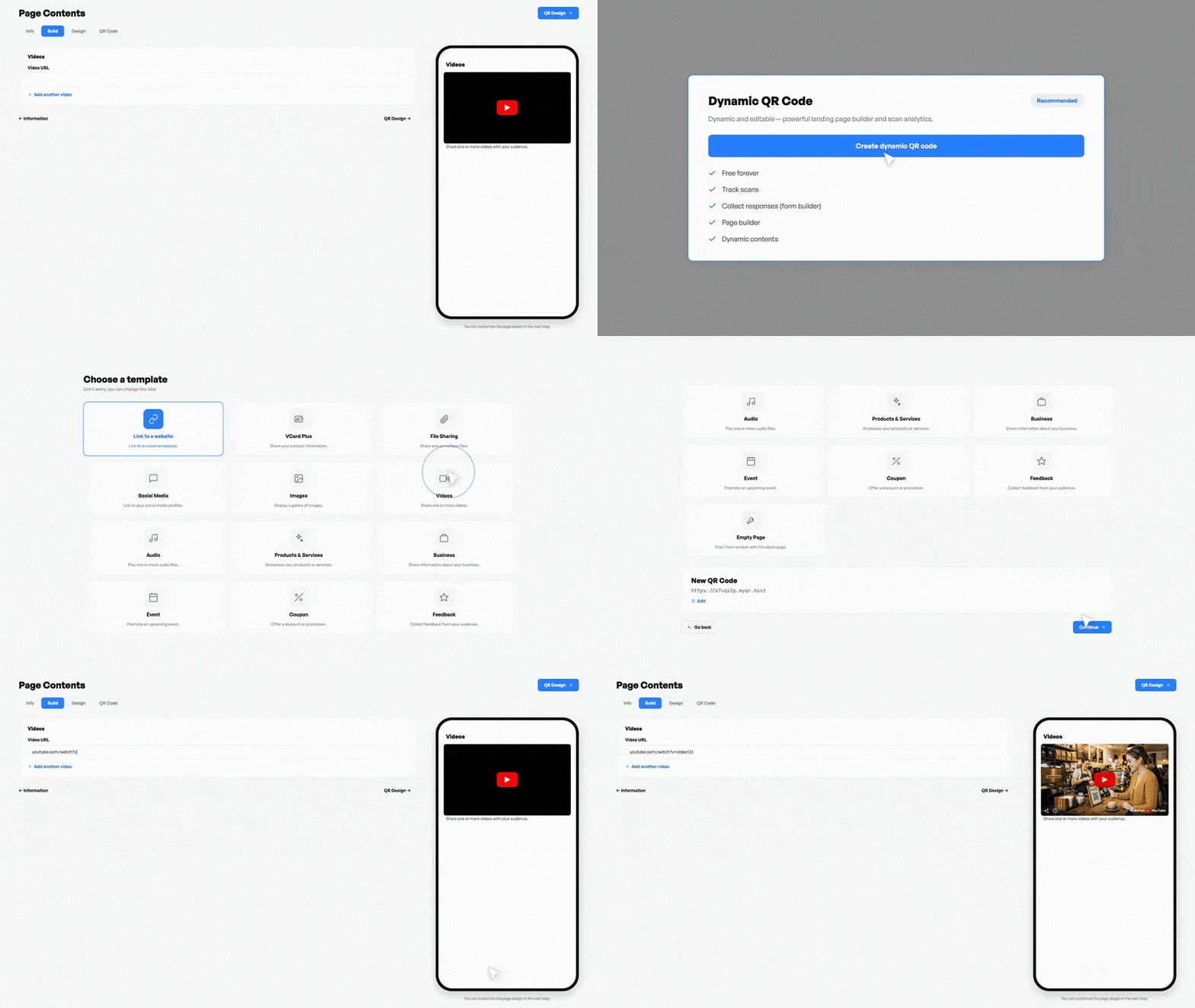
Open your QR code generator and create a new dynamic QR code.
Add a video component to the landing page editor. Select YouTube as the platform and paste your video URL.
The video appears as an embedded player. Visitors tap play and watch on your page.
Add other content around the video if you want: links to your channel, social profiles, a description, or a subscribe button.
Save your changes.
On FreeQR, this uses the Videos component. The video plays on a landing page you control. Other generators with landing page builders offer similar embed options.
Best for: tutorials, course materials, and brand pages where context around the video matters.
Customize, Download, and Test
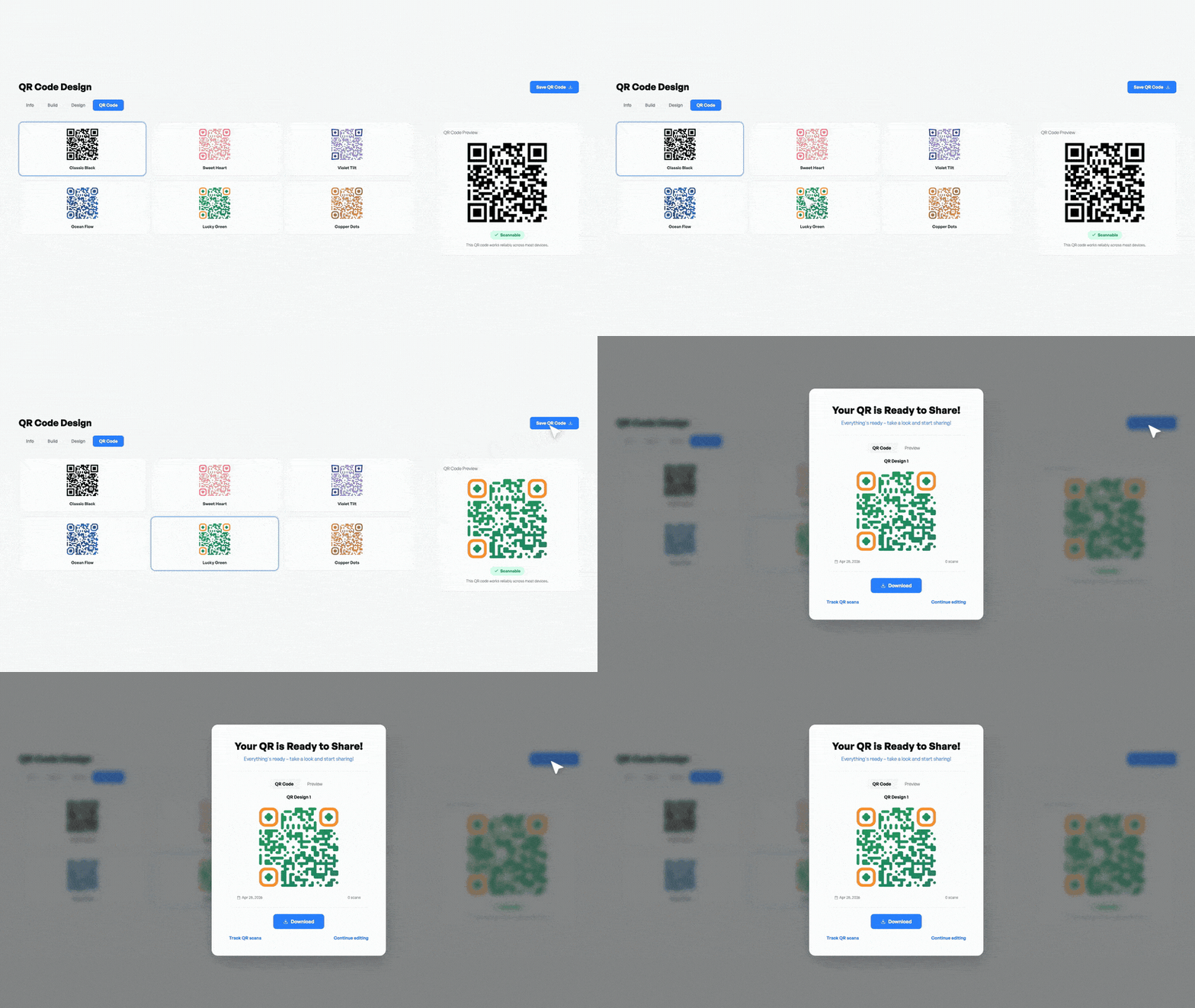
Once your QR code is set up, customize the design.
Add your logo or the YouTube logo to the center. Match your brand colors, but keep strong contrast between the dark and light parts. Dark on light scans best.
Download as PNG for screens or SVG for print. SVG scales to any size without losing scan reliability, so it is the better choice for posters and banners.
Before printing, scan the code with two different phones at the distance your audience will actually use. Confirm the correct video opens.
Static vs Dynamic YouTube QR Codes
Static | Dynamic (Redirect) | Dynamic (Embedded) | |
|---|---|---|---|
Change video after printing | No | Yes | Yes |
Scan tracking | No | Yes | Yes |
Landing page | No | No (goes straight to YouTube) | Yes (branded page) |
Content around video | No | No | Yes (links, text, social) |
Account needed | No | Yes | Yes |
Best for | One-time use, simple sharing | Promotions, packaging, print ads | Tutorials, brand pages, events |
For anything you plan to print, dynamic is the practical choice. Printing is permanent. Your links are not.
Best Practices for YouTube QR Codes
Use dynamic for print: you can swap the video later without reprinting.
Add a call to action: "Scan to watch" next to the code tells people what they get. Without it, many skip the code.
Print big enough: aim for at least 2 cm by 2 cm. Bigger codes scan from farther away.
Track your results: dynamic codes show total scans, location, and device type, so you can see what is working.
Start with redirect if unsure: you can switch to the embedded player later.
Limitations and Common Issues
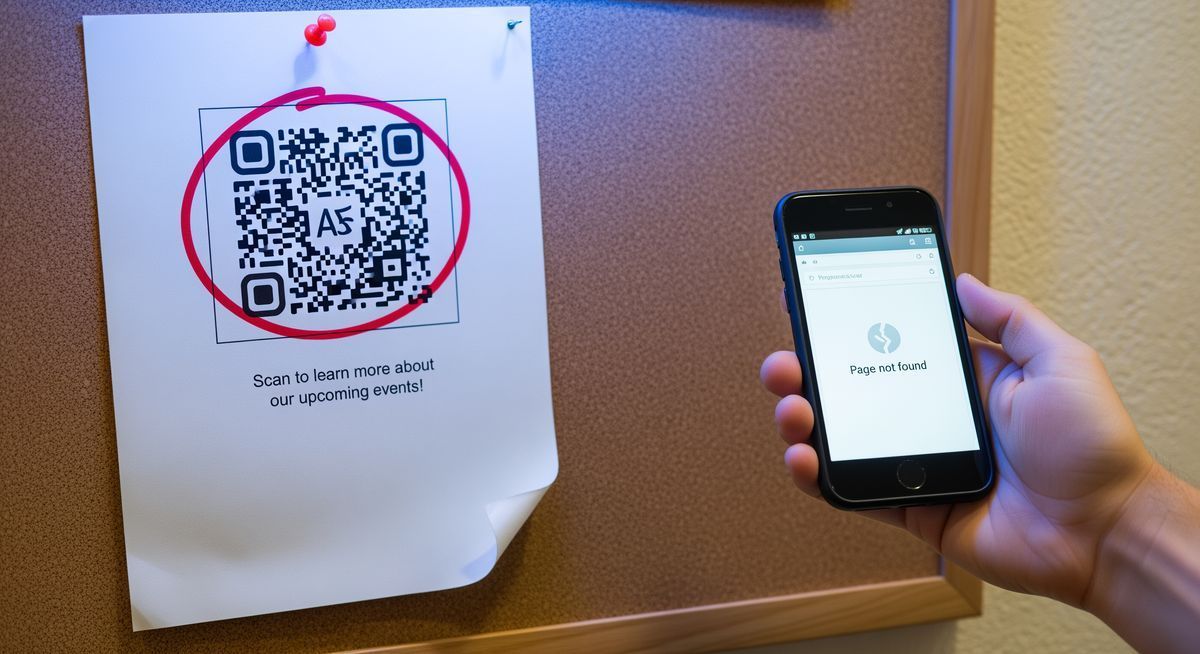
Static QR codes cannot be changed after printing. If the video gets deleted or moved, the code leads to an error page with no fix. Dynamic codes avoid this because you can update the destination anytime.
If you use the embedded player, the video owner must have embedding enabled in their YouTube settings. Some creators turn this off, so test the embedded player before printing.
QR codes do not bypass YouTube restrictions. Age-restricted content still needs sign-in. Region-locked videos stay blocked in those countries.
If a code will not scan, check three things: size (at least 2 cm), contrast (dark on light), and distance (do not stand too far back for the code's size).
Technical Note: Print Size and Scan Distance
If you are printing at scale, follow the standard 10:1 rule from ISO 18004: scanning distance should not exceed 10 times the code's width. A 3 cm code scans reliably at about 30 cm. Scale the printed size up for codes people read from across a room, like posters or banners.
YouTube QR Code FAQ
Can you make a QR code for a YouTube video?
Yes. Copy the video URL from YouTube, paste it into any QR code generator, and download. Works for any public or unlisted video.
How do you make a QR code for a YouTube video?
Two methods. A redirect QR code sends scanners straight to YouTube. An embedded QR code opens a landing page with the video player built in. Both start by copying the YouTube URL and pasting it into a QR code generator.
Can I put a YouTube logo on my QR code?
Yes. Most generators let you upload a center logo. Keep it under 30% of the total code area so scanning stays reliable.
Can you share a YouTube link through a QR code?
Yes. Videos, channels, playlists, and YouTube Music tracks all work. Copy the URL and paste it into a QR code generator.
What happens if a YouTube video is deleted?
The QR code still scans, but it shows YouTube's error page. If you used a dynamic QR code, update the destination to a replacement video. The printed code stays the same.
Wrapping Up
A YouTube QR code turns any printed surface into a direct path to your video. Pick the method that fits your use case, print at the right size, and test before you commit to a print run. The rest takes care of itself.
Written by Andy Lee, QR Technology Specialist at FreeQR. FreeQR helps people create dynamic QR codes with built-in landing pages and scan analytics. Learn more about us.