9 Types of QR Codes: Which One Do You Actually Need?
Learn about 9 types of QR codes including URL, vCard, WiFi, and more. See what each type does, when to use it, and whether you need static or dynamic.
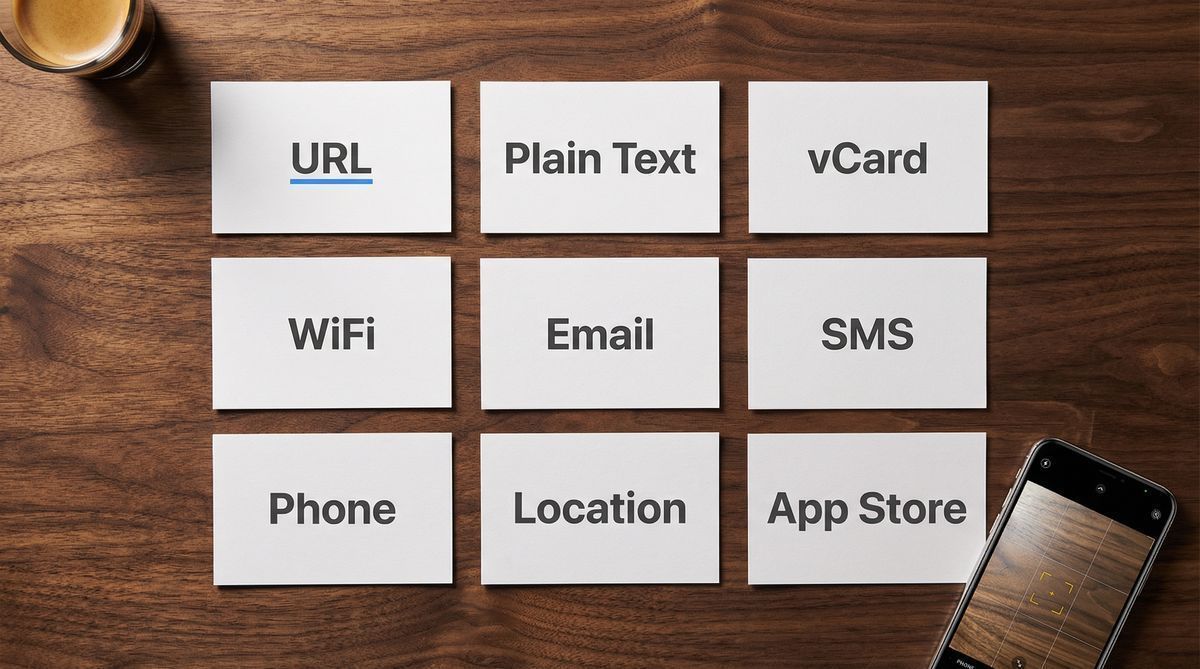
There are nine common types of QR codes, each encoding a different kind of data: URL, plain text, vCard, WiFi, email, SMS, phone, location, and app store. The type you choose determines what happens when someone scans the code, from opening a web page to connecting to a WiFi network to saving contact details directly to their phone.
Most people just need a URL code. According to Bitly's 2024 QR Code Trends report, URL codes account for over 75% of all QR codes created on their platform. But picking the right type matters, because a QR code that opens a web page behaves very differently from one that connects someone to your WiFi network. The wrong choice means the scan works, but the result isn't what you intended.
This guide covers all nine types defined in the QR code specification (ISO/IEC 18004), what each one does, when to use it, and whether you need a static or dynamic version.
Every QR code looks the same on the surface: a grid of black and white squares. The difference is what's encoded inside. A URL code opens a web page. A WiFi code connects you to a network. A vCard code saves someone's contact info. Nine data formats, nine different outcomes from the same visual pattern.
Key takeaways:
URL codes are the most common type, accounting for over 75% of QR codes created (Bitly, 2024).
vCard, WiFi, email, SMS, and phone codes trigger specific device actions without opening a browser.
The QR code market reached $13 billion in 2025, with dynamic codes representing 64.92% of revenue (Mordor Intelligence, 2025).
Most types can be created as either static or dynamic. Dynamic gives you the ability to update the destination and track scans.
The "right" type depends on what you want to happen when someone scans the code.
The 9 types of QR codes at a glance
Here's the short version before the details.
Type | What it does | Best for | Static option | Dynamic option |
|---|---|---|---|---|
URL | Opens a web page | Websites, landing pages, menus | Yes | Yes |
Plain text | Displays text on screen | Short messages, serial numbers | Yes | No |
vCard | Saves contact details to phone | Business cards, name badges | Yes | Yes |
WiFi | Connects to a WiFi network | Guest networks, offices, cafes | Yes | No |
Opens a pre-filled email draft | Customer support, feedback | Yes | Yes | |
SMS | Opens a pre-filled text message | Opt-ins, quick replies | Yes | Yes |
Phone | Dials a phone number | Emergency contacts, support lines | Yes | Yes |
Location | Opens a map to specific coordinates | Store locations, event venues | Yes | Yes |
App Store | Opens an app listing for download | App promotion, onboarding | Yes | Yes |
URL QR codes
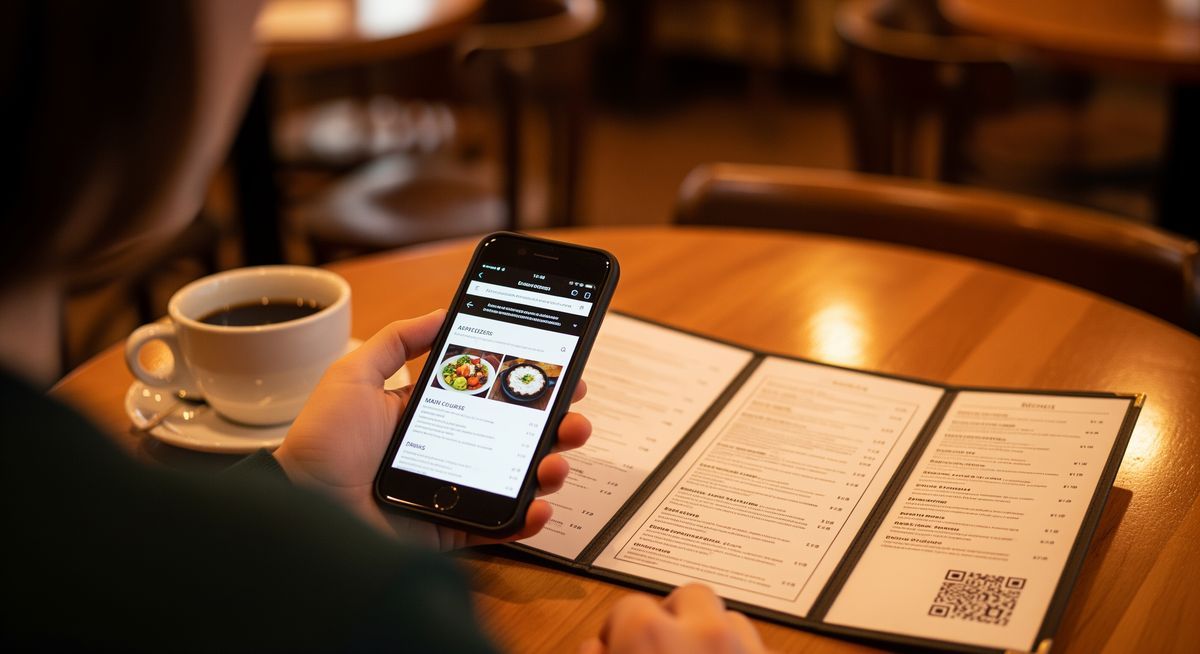
A URL QR code encodes a web address that opens in the scanner's default browser. It is the most common type, accounting for over 75% of all QR codes created (Bitly, 2024). The code encodes a full URL (like https://example.com/menu) and the phone treats it as a clickable link. URL QR codes are the backbone of the $13 billion global QR code market (Mordor Intelligence, 2025).
When to use it: Linking to any web content. Product pages, restaurant menus, event registration forms, portfolios, social media profiles, or landing pages.
Static vs. dynamic: A static URL code bakes the URL directly into the pattern. It works forever, but the destination can never be changed. A dynamic URL code routes through a redirect server, so you can update where the code points without reprinting. If you're printing codes on physical materials and might need to change the link later, dynamic is the safer choice.
Real-world example: A cafe prints a QR code on table tents that links to their online menu. With a dynamic URL code, they update the menu link every season without replacing the table tents.
For a full explanation of how static and dynamic codes differ, see What Is a QR Code? The Complete Beginner's Guide.
Plain text QR codes
A plain text QR code displays a short message on the scanner's screen. No browser opens. No internet connection is needed. The phone reads the encoded text and shows it directly.
When to use it: Displaying short messages, product serial numbers, internal reference codes, or instructions that don't need a web page. Useful in environments without reliable internet access, like warehouses, outdoor installations, or factory floors.
Static vs. dynamic: Plain text codes are always static. The text is encoded directly into the QR pattern. There's no URL to redirect, so dynamic doesn't apply.
Real-world example: A manufacturer encodes product batch numbers as plain text QR codes on packaging. Warehouse staff scan the code to see the batch info without needing an internet connection.
Limitation: QR codes have a character limit. A standard QR code holds up to 4,296 alphanumeric characters. For anything longer, use a URL code that links to a page with the full content.
vCard QR codes
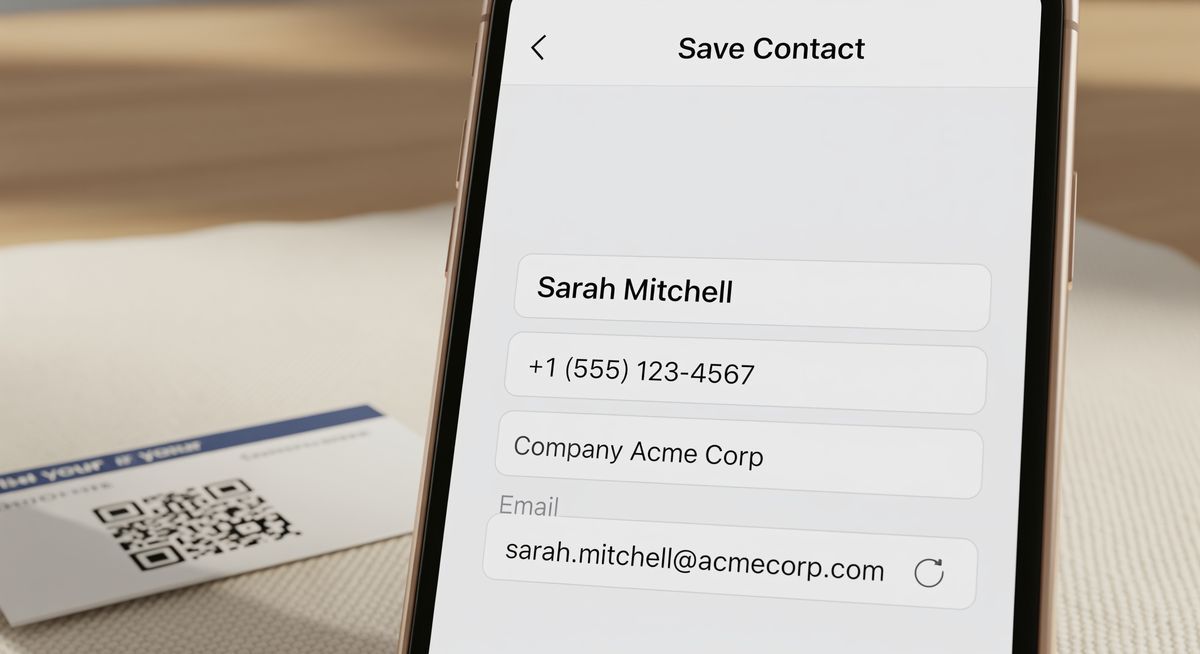
A vCard QR code saves contact details directly to the scanner's phone. One scan, and your name, phone number, email, company, job title, and website appear as a new contact ready to save. No typing required. The vCard format follows the vCard 4.0 standard (RFC 6350) and supports up to 30 contact fields including address, URL, and photo. Most QR code generators use vCard 3.0 (RFC 2426) for broader device compatibility.
When to use it: Business cards, conference badges, email signatures, company directories, and networking events. Anywhere someone might want to save your contact information.
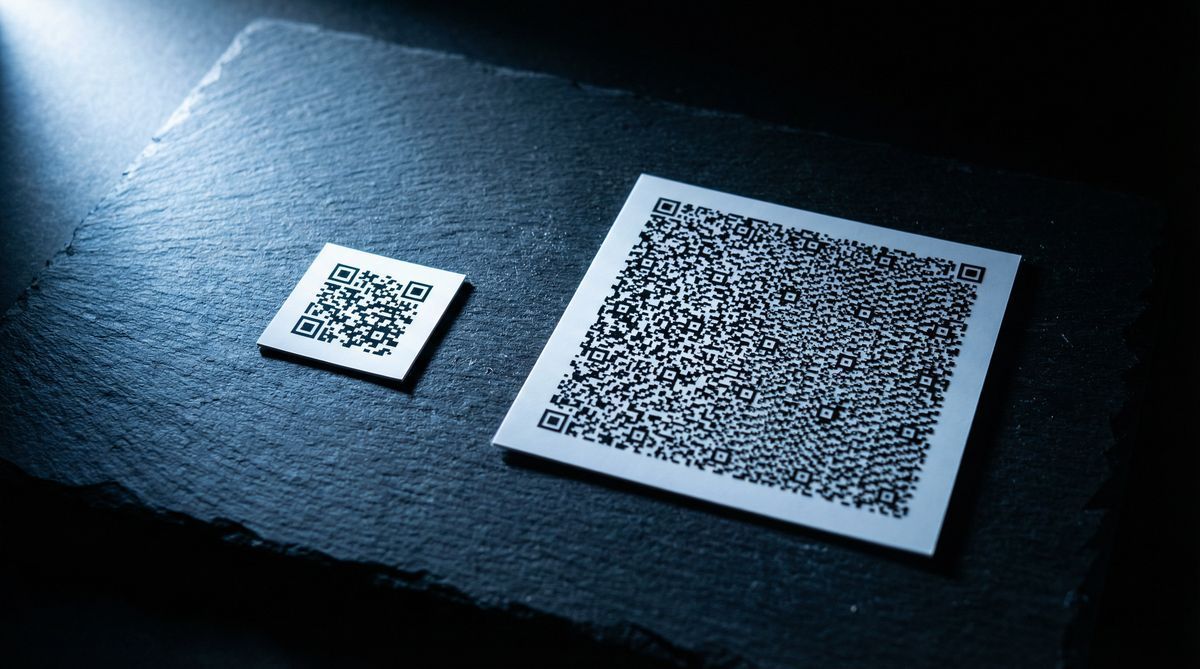
Static vs. dynamic: A static vCard code encodes all contact details into the pattern itself. This makes the code denser (more data means more squares), which can make it harder to scan at small sizes. A dynamic vCard code stores only a short redirect URL in the pattern and keeps the contact details on a server. This produces a simpler, easier-to-scan code and lets you update your details (new phone number, new job title) without reprinting.
Real-world example: A real estate agent prints a vCard QR code on their business card. When they change brokerages six months later, they update the contact details through their QR platform. Every card already in circulation now shares the updated information.
WiFi QR codes
A WiFi QR code connects the scanner's phone to a wireless network automatically. No need to ask for the password, spell it out, or type it character by character. The code encodes the network name (SSID), password, and encryption type (WPA, WPA2, or WEP). The phone reads it and offers to join the network. WiFi QR codes are supported natively on iOS 11+ and Android 10+, covering over 98% of active smartphones worldwide (StatCounter, 2025).
When to use it: Guest WiFi in offices, hotels, cafes, Airbnbs, co-working spaces, and events. Anywhere you want people to connect without sharing the password verbally or on a printed sign.
Static vs. dynamic: WiFi codes are typically static. The network credentials are encoded directly into the pattern. If you change your WiFi password, you need to generate a new code. Some generators offer dynamic WiFi codes, but since the phone needs the actual credentials to connect (not a URL redirect), the practical benefit of dynamic is limited here.
Real-world example: A coworking space posts a framed QR code at the front desk. New members scan it to connect to WiFi on their first visit. When the space changes its password quarterly, they print a new code.
Email QR codes
An email QR code opens the scanner's default email app with a pre-filled recipient address, subject line, and optional body text. The user just hits send.
When to use it: Customer feedback collection, support requests, RSVP confirmations, and survey participation. Useful when you want someone to send a specific email without typing the address or subject line themselves.
Static vs. dynamic: A static email code encodes the mailto: link directly. A dynamic version lets you update the recipient address or subject line after printing, which is useful if your support email changes or you want to rotate subject lines for tracking.
Real-world example: A hotel places a QR code on the bedside table. Guests scan it to send a pre-filled email to housekeeping requesting extra towels or pillows. The subject line includes the room number.
SMS QR codes
An SMS QR code opens the scanner's messaging app with a pre-filled phone number and message. One scan, one tap to send.
When to use it: Marketing opt-ins ("Text JOIN to 55555"), quick customer responses, event RSVP by text, or two-factor authentication setup.
Static vs. dynamic: A static SMS code encodes the phone number and message directly. A dynamic version allows you to change the phone number or message text after printing, which matters if you switch messaging providers or update your opt-in keywords.
Real-world example: A retail store prints a QR code on receipts. Scanning it opens a text message pre-filled with "FEEDBACK" sent to their review collection number. Customers tap send and get a link to a survey by reply.
Phone QR codes
A phone QR code dials a phone number. The scanner's phone opens the dialer with the number pre-loaded. The user taps "call" to connect.
When to use it: Emergency contact information, customer support hotlines, appointment booking by phone, and situations where a phone call is the most direct path to help.
Static vs. dynamic: A static phone code encodes the number into the pattern. A dynamic version lets you update the phone number if your support line changes. For a single personal number, static is fine. For a business number that might be rerouted or changed, dynamic provides flexibility.
Real-world example: An apartment building posts a QR code in the elevator. Scanning it dials the building maintenance hotline. When the management company changes, they update the number without replacing the sign.
Location QR codes
A location QR code opens a map application and drops a pin at specific GPS coordinates. The scanner sees the location on Google Maps, Apple Maps, or their default navigation app, with directions available in one more tap.
When to use it: Store locations on business cards or flyers, event venue directions, parking instructions, office wayfinding, and tourist information markers.
Static vs. dynamic: A static location code encodes the latitude and longitude directly. A dynamic version lets you update the coordinates, which matters if your business moves or an event changes venues.
Real-world example: A food truck prints a QR code on their social media that links to their current location. Using a dynamic code, they update the GPS coordinates every morning to match where they're parked that day.
App store QR codes
An app store QR code opens an app listing in the appropriate store for the scanner's device. iPhones go to the App Store. Android phones go to Google Play. One code, two destinations.
When to use it: App download campaigns, product packaging that connects to a companion app, onboarding materials, and print ads promoting mobile apps.
Static vs. dynamic: A static app store code typically links to one store URL, which means you need separate codes for iOS and Android. A dynamic app store code detects the scanner's operating system and redirects to the correct store automatically. This is one of the strongest cases for dynamic over static.
Real-world example: A fitness equipment company includes a QR code on the box. Scanning it opens their companion workout app in whatever store the customer uses. One code on the packaging serves both platforms.
How to choose the right type
Start with what you want to happen when someone scans. Open a web page? URL code. Save your contact info? vCard. Connect to your guest network? WiFi. The type is just the action you want the phone to take.
For most use cases, consider dynamic over static. Dynamic codes let you update the destination after printing and see how many times the code has been scanned. Dynamic codes now represent 64.92% of global QR code market revenue (Mordor Intelligence, 2025), and 98% of all QR codes created in 2025 are dynamic. The exception is WiFi and plain text codes, where dynamic adds little practical value.
A note on limitations: Not every QR code generator supports all nine types. Some free tools only create URL and plain text codes. Before choosing a platform, verify it supports the specific type you need. Also, QR codes have a maximum data capacity of 4,296 alphanumeric characters per the ISO/IEC 18004 standard. For data-heavy types like vCard, a dynamic code keeps the pattern simpler by storing a short redirect URL instead of the full payload. The simpler pattern also gives error correction more room to work, making the code more resilient to physical damage.
For a deeper look at how long your codes will remain functional, read Do QR Codes Expire? What Happens After You Print.
Frequently asked questions
What types of QR codes exist?
There are nine common types based on the data they encode: URL, plain text, vCard, WiFi, email, SMS, phone, location, and app store. Each type triggers a different action when scanned, from opening a web page to connecting to a WiFi network to saving contact details.
Which type of QR code is most common?
URL QR codes. The vast majority of QR codes in use today link to a web page. This includes everything from restaurant menus and product information to event tickets and marketing campaigns.
Can I make a WiFi QR code for free?
Yes. Most QR code generators, including FreeQR, let you create WiFi QR codes at no cost. You enter your network name, password, and encryption type, and the generator creates a code your guests can scan to connect instantly.
Do I need a dynamic QR code?
It depends on your use case. If you might need to change the destination after printing (new menu URL, updated contact details, different phone number), dynamic is worth it. If the destination will never change and you don't need scan tracking, a static code works just as well and has no platform dependency.
Can one QR code work for both iPhone and Android?
Yes. All QR code types work on both platforms. The scanner's operating system determines which app opens (Safari vs. Chrome, Apple Maps vs. Google Maps, App Store vs. Google Play). App store QR codes with dynamic redirect can even detect the device and send each user to the correct store automatically.
Looking for a QR code generator that supports all nine types? See how FreeQR works and create your first code in under 30 seconds.