QR Code Data Limits: How Much Can a QR Code Hold?
How much data can a QR code hold? Up to 7,089 numeric or 4,296 alphanumeric characters. Learn about QR code data capacity, versions, and practical limits.
QR code data capacity is the maximum amount of information that can be encoded in a single QR code, determined by the code's version (physical size) and error correction level. A QR code can hold up to 7,089 numeric characters, 4,296 alphanumeric characters, or 2,953 bytes of binary data. Those are the theoretical maximums defined by the ISO/IEC 18004 specification, the international standard maintained by ISO and originally developed by Denso Wave in 1994. In practice, the usable storage capacity is much lower, because more data means a denser, harder-to-scan code.
Understanding how much information a QR code can hold matters for one practical reason: if you try to encode too much, the code becomes so complex that phones struggle to read it. This guide covers what affects QR code data capacity and what to do when you hit the limit.
Key takeaways:
Maximum capacity: 7,089 numeric, 4,296 alphanumeric, or 2,953 bytes.
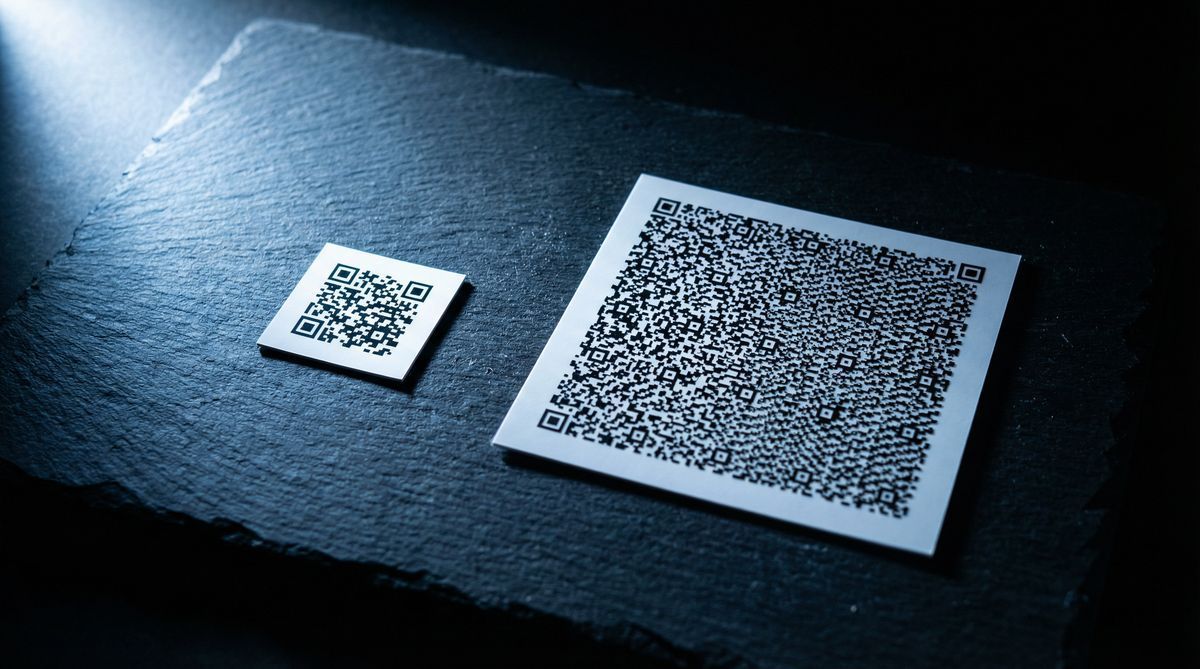
More data means a denser code with more modules (squares), which requires larger print sizes to remain scannable.
Error correction level directly trades capacity for reliability. Higher error correction means less room for data.
For most real-world uses, keeping data under 300 characters produces a code that scans quickly at reasonable sizes.
QR code data capacity by encoding mode
QR codes support four encoding modes. Each mode is optimized for a different type of data, and the maximum capacity depends on which mode your data requires.
Encoding mode | Characters supported | Maximum capacity (Version 40, Low EC) |
|---|---|---|
Numeric | 0-9 | 7,089 characters |
Alphanumeric | 0-9, A-Z, space, $%*+-./: | 4,296 characters |
Byte (ISO 8859-1) | Any 8-bit character | 2,953 characters |
Kanji | Double-byte characters | 1,817 characters |
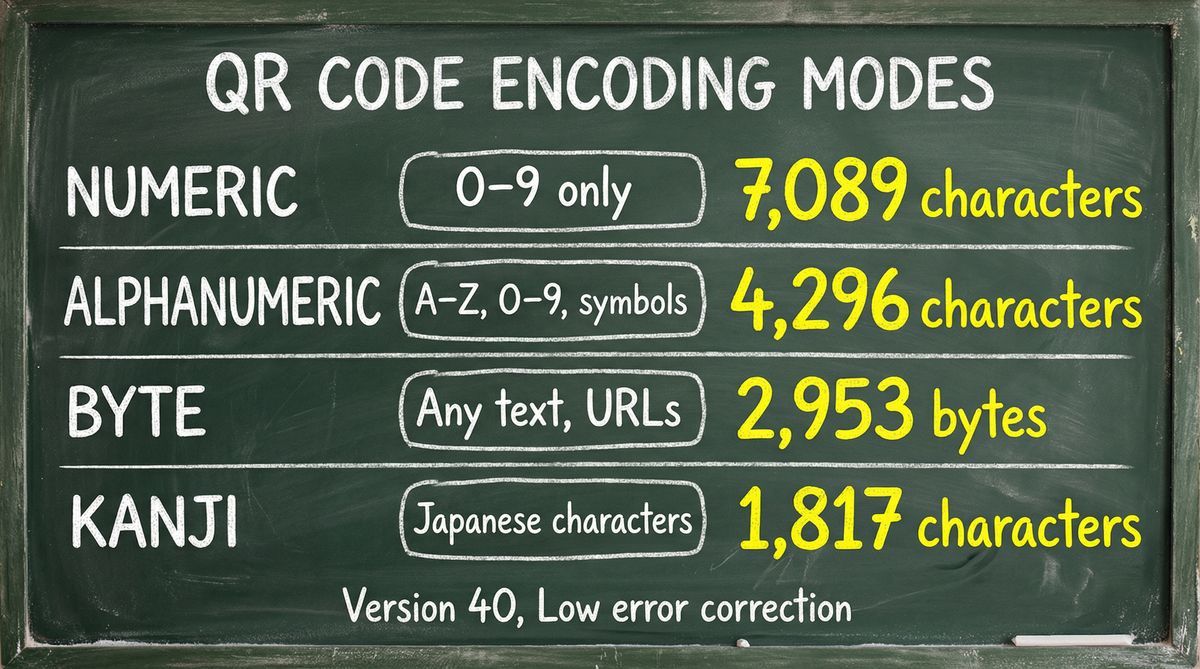
Numeric mode is the most efficient. It packs three digits into just 10 bits, according to the ISO/IEC 18004 encoding specification, which is why a QR code can hold over 7,000 digits but fewer than 3,000 bytes.
Alphanumeric mode supports uppercase letters, numbers, and a handful of symbols, encoding two characters into 11 bits. One catch: lowercase letters are not included. If your data contains any lowercase text, the encoder falls back to byte mode, which cuts capacity.
Byte mode is where most real-world data ends up. It handles any character in the ISO 8859-1 set — lowercase letters, punctuation, special characters — so URLs and general text almost always use this mode.
Kanji mode encodes Japanese double-byte characters at 13 bits each.
A QR code generator automatically selects the most efficient mode for your data. If you enter only numbers, it uses numeric mode. If you include letters, it switches to alphanumeric or byte mode. You don't typically choose the mode manually.
QR code versions and maximum QR code size
The QR code specification defines 40 versions. Version 1 is the smallest (21 x 21 modules). Version 40 is the largest (177 x 177 modules). Each version adds four modules per side, increasing both the physical QR code size and the data capacity.
Version | Modules | Numeric capacity (Low EC) | Alphanumeric capacity (Low EC) | Byte capacity (Low EC) |
|---|---|---|---|---|
1 | 21 x 21 | 41 | 25 | 17 |
5 | 37 x 37 | 154 | 93 | 64 |
10 | 57 x 57 | 652 | 395 | 271 |
20 | 97 x 97 | 2,061 | 1,249 | 858 |
30 | 137 x 137 | 4,158 | 2,520 | 1,732 |
40 | 177 x 177 | 7,089 | 4,296 | 2,953 |
Most QR codes you encounter in daily life are between Version 2 and Version 10. A study of 860 real-world QR codes found that over 93% contain URLs, with an average length of just 45 characters. That fits comfortably in a Version 3 or 4 code — meaning the vast majority of deployed QR codes use roughly 1-2% of the format's theoretical maximum capacity. A vCard with full contact details might require Version 7 or 8.
Version 40 codes exist in the specification but are rarely used. A benchmark of 1,232 QR codes by Dynamsoft found that popular open-source scanning libraries like ZXing decode high-version codes (Version 20+) at only a 5% success rate. Even commercial decoders average just 97% on these dense codes. For most practical purposes, versions above 20 are uncommon outside of industrial and pharmaceutical applications where data must be embedded without network access.
For more on how QR codes encode and structure data, see What Is a QR Code? The Complete Beginner's Guide.
What affects QR code data capacity
Three factors determine how much data fits in a specific QR code.
Encoding mode
As covered above, numeric data is the most compact. A string of 100 digits takes less space than 100 alphanumeric characters, which takes less space than 100 bytes. The encoding mode is chosen automatically based on your input.
Error correction level
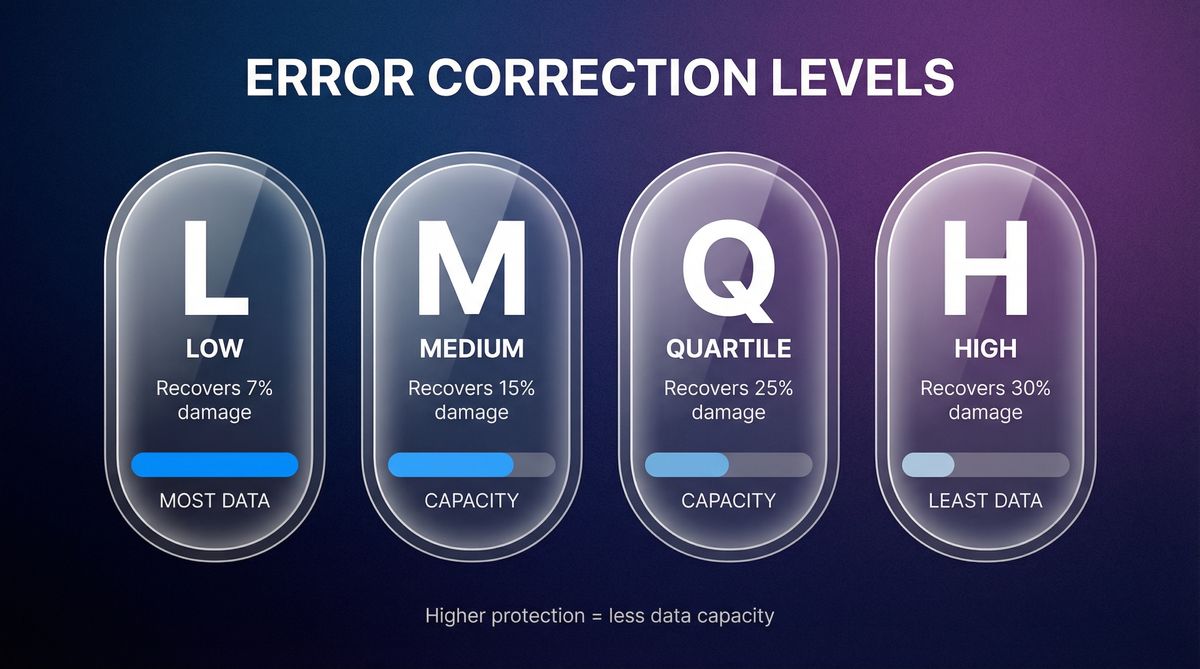
QR codes include built-in error correction using Reed-Solomon coding, the same algorithm used in CDs, DVDs, and satellite communications. This lets the code remain scannable even when part of it is damaged or obscured. The ISO/IEC 18004 specification defines four levels:
Level | Error correction capacity | Data capacity reduction |
|---|---|---|
L (Low) | Recovers up to 7% damage | Least reduction (most data) |
M (Medium) | Recovers up to 15% damage | Moderate reduction |
Q (Quartile) | Recovers up to 25% damage | Significant reduction |
H (High) | Recovers up to 30% damage | Largest reduction (least data) |
Higher error correction is useful for codes that will be printed on rough surfaces, displayed outdoors, or partially covered by a logo. But it comes at a cost. A Version 10 code at Level L holds 271 bytes. The same version at Level H holds only 119 bytes. That's a 56% reduction in capacity.
Most generators default to Level M, which balances reliability and capacity for typical use cases.
Data type and length
A short URL like https://example.com uses about 20 bytes. A full vCard with name, phone, email, company, title, and address can exceed 300 bytes. A paragraph of text might be 500 bytes or more. The longer your data, the higher the version number needed, and the denser the resulting code.
Practical limits: when more data hurts
The theoretical maximum of 2,953 bytes sounds generous. In practice, pushing a QR code near its capacity creates real problems.
The first is scanning reliability. A high-version code packs thousands of tiny modules into the pattern, and if printed too small, phone cameras cannot resolve the individual squares. QR codes printed smaller than 1 inch (2.5 cm) fail 42% more often than codes at 2 inches or larger. A Version 40 code on a business card? Unreadable.
Then there is physical size. More modules means more print area. The 10:1 ratio rule is the accepted standard: the minimum QR code width should be one-tenth of the scanning distance. A Version 5 code (37 x 37 modules) works fine at 2 cm x 2 cm for handheld scanning. A Version 40 code needs over 7 cm up close, and over 70 cm if someone is scanning from a metre away.
Speed matters too. Simpler codes scan almost instantly, but complex codes take longer to decode, especially on older phones or in poor lighting. Decoder benchmarks put standard QR codes at 36-195 ms, while high-version codes with blur, glare, or damage can push past 500 ms or fail entirely.
General guideline: Keep your encoded data under 300 characters for a code that scans quickly and prints well at standard sizes. Most real-world QR codes contain a URL of 50 to 100 characters, which fits in a Version 3 or 4 code (29 x 33 modules) and scans reliably at just 2 cm x 2 cm. If your data exceeds 300 characters, consider linking to a web page instead of encoding everything into the code itself.
When you hit the limit: use a landing page instead
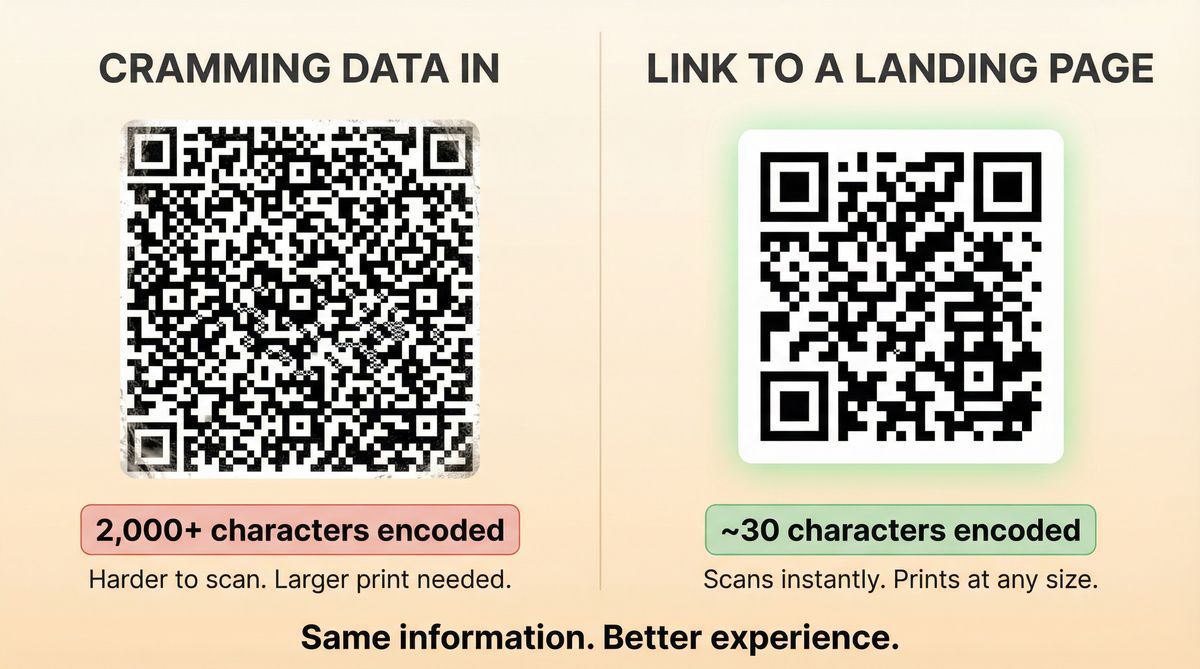
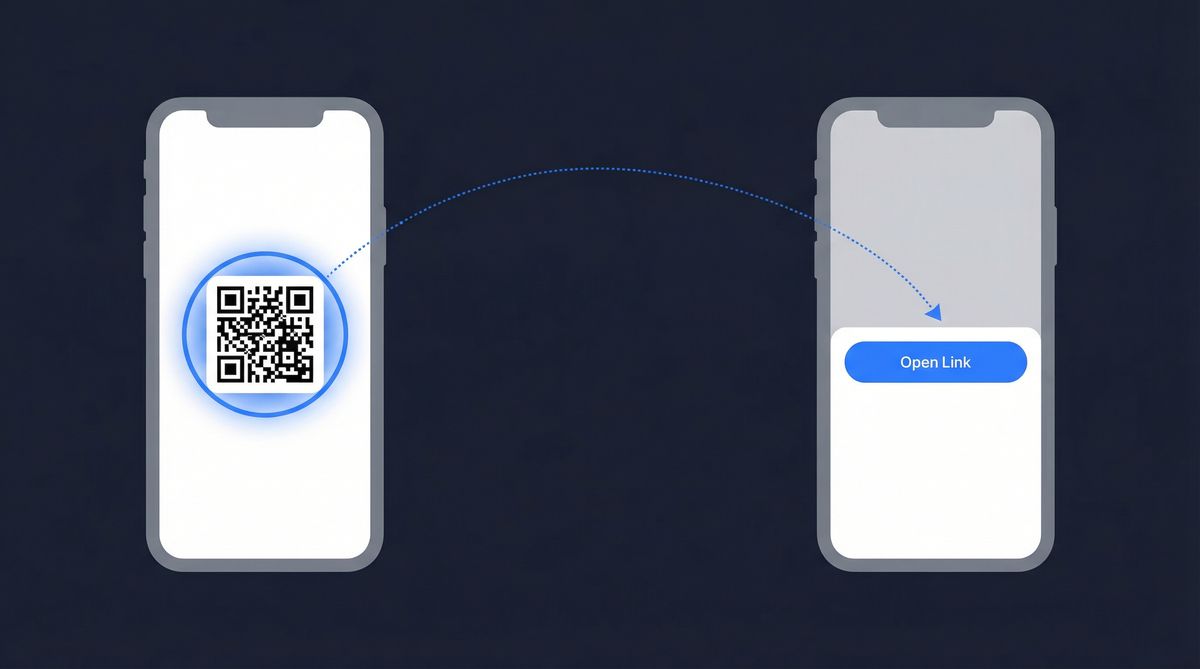
If you need to share more information than a QR code can comfortably hold — a full product catalog, a multi-page PDF, a detailed event schedule — encode a short URL instead. Point it to a landing page that contains everything.
A dynamic QR code is the standard solution. Instead of encoding 2,000 characters of product details into the pattern, you encode a short redirect URL (around 30 characters). That URL points to a landing page where you can present as much information as you need: text, images, files, contact forms, videos, and more.
This is one of the core uses of dynamic QR codes. The code itself stays small and easy to scan, and the landing page carries all the detail. Because it is dynamic, you can update the page content at any time without reprinting the code.
FreeQR's landing page builder lets you create these pages as part of your QR code. Instead of cramming data into the code, you build a page that presents it clearly. For a breakdown of the different code types and which ones support landing pages, see 9 Types of QR Codes: Which One Do You Actually Need?
Frequently asked questions
How many characters can a QR code hold?
The maximum depends on the encoding mode: 7,089 numeric characters, 4,296 alphanumeric characters, or 2,953 bytes of binary data. These limits apply to the largest QR code version (Version 40) with the lowest error correction level. In practice, keeping your data under 300 characters produces a code that scans reliably at common print sizes.
What happens if I put too much data in a QR code?
The QR code generator will increase the version (size) of the code to fit the data. The code will have more modules, which makes it denser and harder to scan at small sizes. If the data exceeds the maximum capacity of Version 40, the generator will return an error and the code cannot be created.
Can I store a PDF or image in a QR code?
No. The maximum capacity is 2,953 bytes — a typical PDF is thousands of times larger than that. The standard approach is to host the file online and encode the download URL into the QR code. A dynamic QR code pointing to a landing page with a file download works well for this.
Does the QR code version affect scanning speed?
Yes. Lower-version codes (fewer modules) scan faster because the camera has fewer data points to process. A Version 3 code (29 x 29 modules) scans almost instantly on modern phones. A Version 25 code (117 x 117 modules) takes noticeably longer and may require the camera to be held steadier.
What is the minimum size for a QR code?
There is no single minimum — it depends on the version. A Version 1 code (21 x 21 modules) can be as small as 1.5 cm x 1.5 cm and still scan reliably on modern phones. Higher-version codes need more space because each module must be large enough for a camera to resolve. As a general rule, each module should be at least 0.75 mm wide. For a Version 10 code (57 x 57 modules), that means a minimum print size of roughly 4.3 cm x 4.3 cm.
What is the best error correction level to use?
Level M (Medium, 15% recovery) is the default for most use cases. Use Level L if you need maximum data capacity and the code will be displayed on screens or clean surfaces. Use Level Q or H if the code will be printed on textured materials, displayed outdoors, or will have a logo placed over part of the pattern.
Need to share more than a QR code can hold? Create a free landing page with FreeQR and link it to a simple, scannable code.