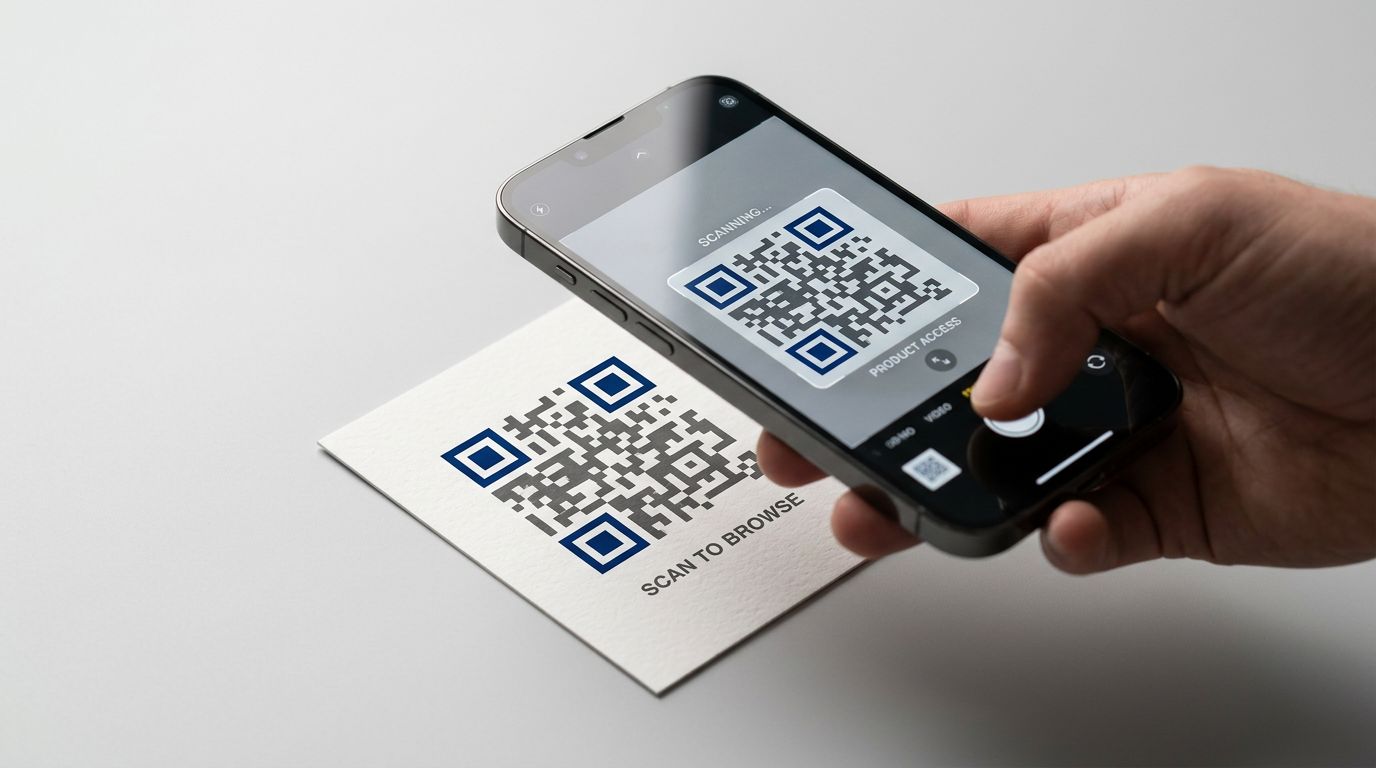
A QR code (Quick Response code) is a two-dimensional barcode that stores information as a pattern of black and white squares. When you scan one with your phone's camera, it instantly connects you to a website, contact card, menu, payment page, or other digital content.
In this guide, you'll learn:
What "QR" stands for and where it all started
How your phone reads a QR code in under a second
The difference between static and dynamic QR codes
Seven real ways people use QR codes every day
What Does QR Stand For?
QR stands for Quick Response. The name is literal. These codes were designed to be read fast.
Denso Wave, a Japanese subsidiary of Toyota, invented the QR code in 1994. The original purpose had nothing to do with marketing or menus. Toyota's manufacturing lines needed a way to track auto parts faster than traditional barcodes could manage.
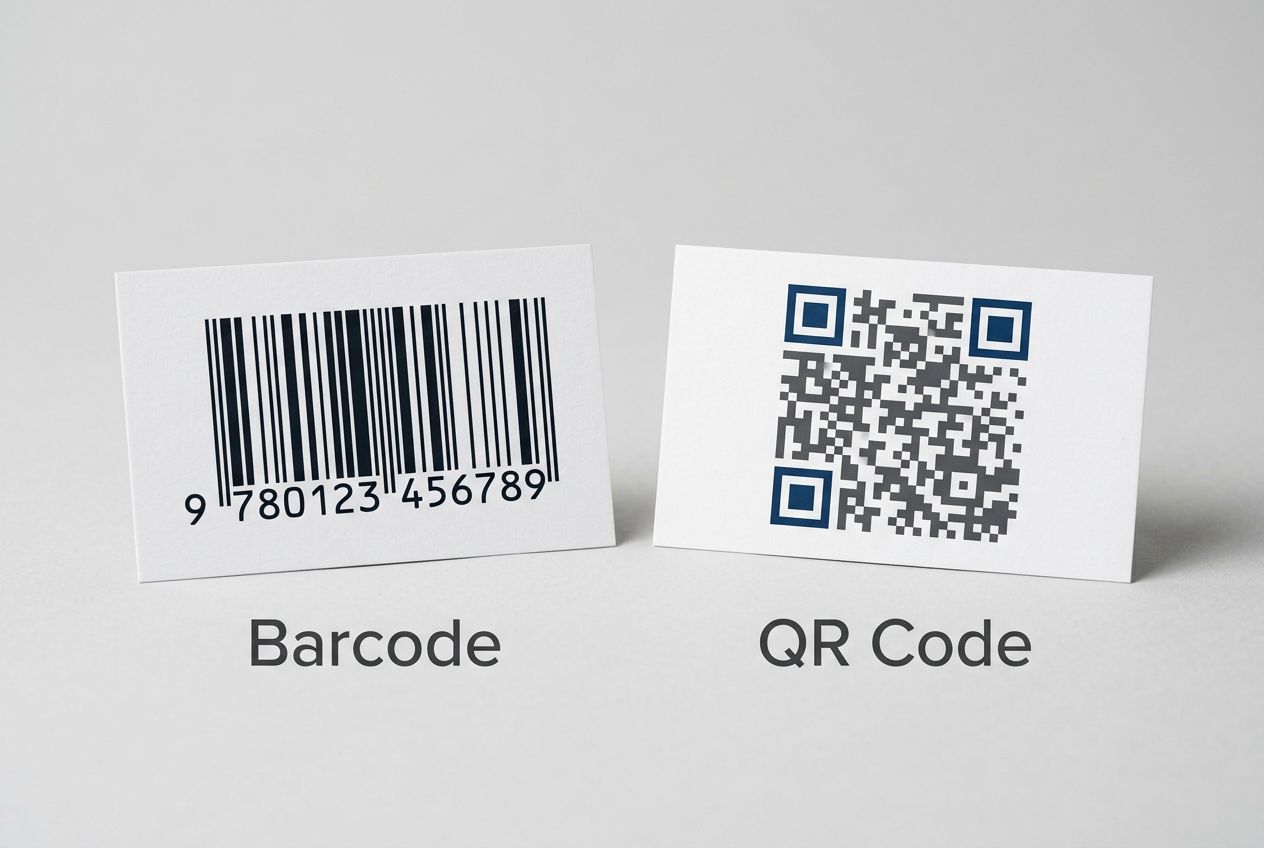
The speed difference was significant. A standard barcode holds about 20 characters and stores data in one direction (those familiar horizontal lines). A QR code stores data in two dimensions, both horizontally and vertically, and can hold over 4,000 characters. That's roughly the length of this entire section.
For years, QR codes stayed mostly on factory floors and shipping labels. Then the pandemic pushed contactless interactions into everyday life, and QR codes became something billions of people now use without thinking twice. Restaurant menus, parking meters, boarding passes, payment screens. What started as an industrial tool is now a permanent part of how we connect the physical world to the digital one.
How Do QR Codes Work?
QR codes work by encoding data into a grid of black and white squares that your phone's camera reads and decodes in under a second. The process feels instant, but here's what actually happens when you point your camera at a QR code.
Step 1: Your camera detects the code. It identifies the distinctive square pattern and captures the image.
Step 2: A decoder reads the pattern. Software (built into your phone's camera app or a separate QR reader) translates the arrangement of black and white squares into data.
Step 3: Your phone takes action. Depending on what's encoded, your phone opens a website, displays text, adds a contact, connects to Wi-Fi, or performs another action.
The whole process takes less than a second.
The three key visual elements
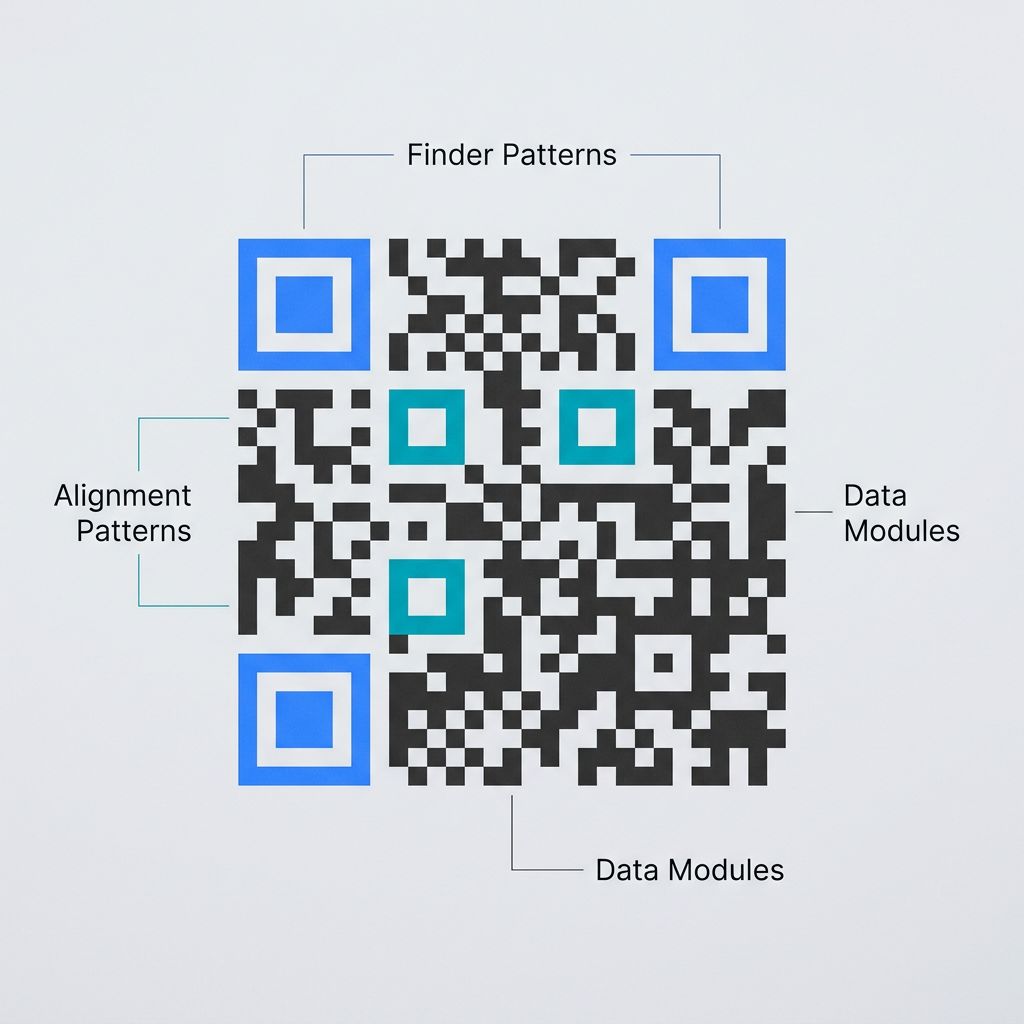
If you look closely at any QR code, you'll notice three large squares in the corners. These are finder patterns. They help your camera locate the code and figure out its orientation, so it works whether you scan it straight on, at an angle, or even upside down.
The smaller squares scattered through the code are alignment patterns. They help the decoder stay accurate, especially on larger codes.
Everything else (the grid of black and white modules) is where the actual data lives. Each module represents a bit of information, and the decoder reads them all as a single message.
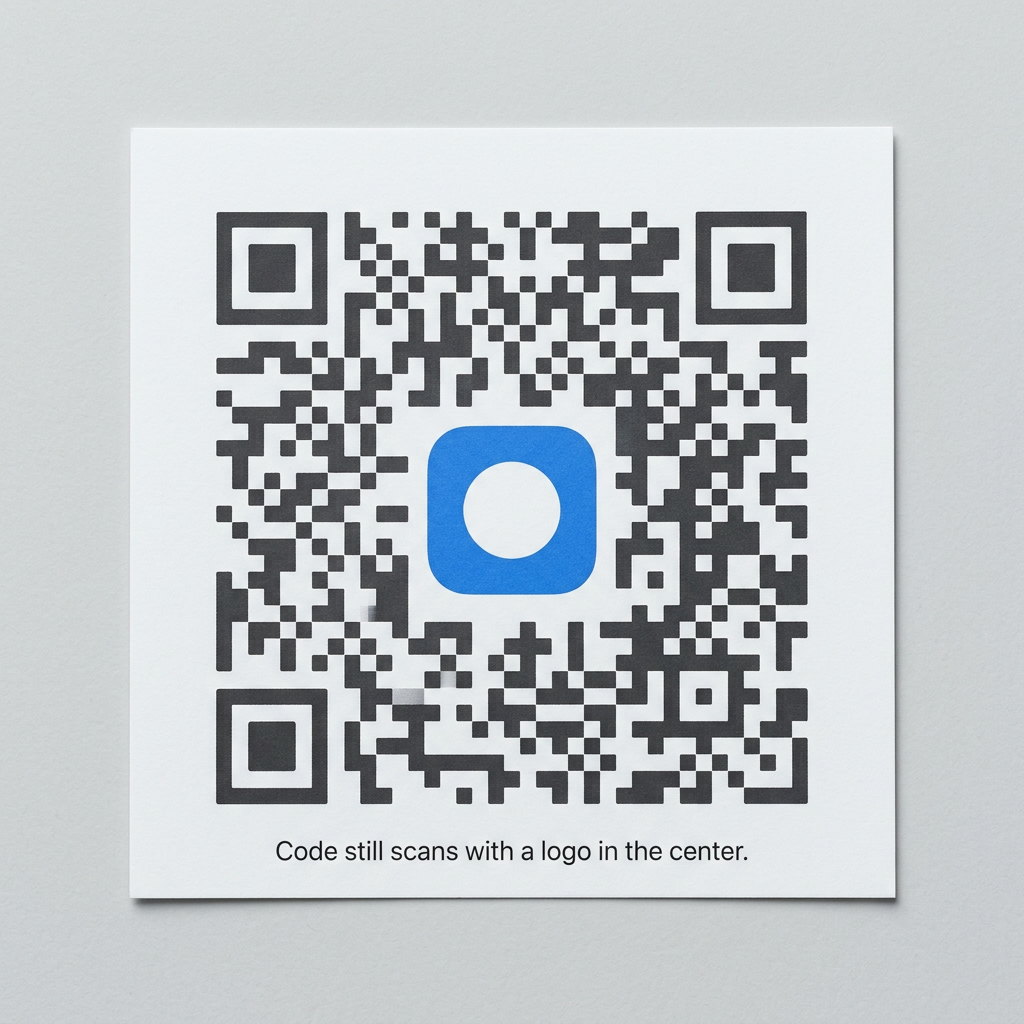
Here's something worth knowing: QR codes can still work even when they're partially damaged. Scuffed, partially covered, or slightly faded codes often scan just fine.
This is possible because QR codes include redundant data. At the highest error correction level, up to 30% of the code can be damaged or obscured and it will still scan correctly. That's why you sometimes see QR codes with logos placed in the center. The error correction compensates for covered area.
Static vs Dynamic QR Codes
A static QR code stores data permanently in the code itself and cannot be changed after creation. A dynamic QR code uses a redirect URL, so you can update the destination and track scans without reprinting. This distinction is the most important thing to understand before you create one.
What Is a Static QR Code?
A static QR code has its data encoded directly into the pattern itself. The information is baked in. Once you generate a static QR code, whatever it points to is permanent.
Key characteristics:
The destination (a URL, text, or other data) is embedded directly in the code
It cannot be changed after creation
It works forever with no platform or subscription needed
No one can track how many times it gets scanned
Best for: Permanent information that won't change. A Wi-Fi password for your office. A link to a government form. Your personal website URL that you've had for 10 years.
What Is a Dynamic QR Code?
A dynamic QR code points to a short redirect URL instead of encoding the final destination directly. When someone scans it, they hit that redirect first, which then sends them to wherever you've set as the destination.
This small technical difference has practical implications.
Key characteristics:
You can change where it leads anytime, without reprinting the code
You get scan analytics: how many scans, when they happened, and where
The code itself stays the same even when the destination changes
Some platforms also let you build landing pages that the code points to
Best for: Anything where the destination might change, or where you want to know if people are actually scanning.
Here's the scenario that makes this click. You printed 500 flyers for a pop-up event with a QR code linking to the registration page. Then the venue changed. With a static code, those 500 flyers are now pointing to the wrong information. With a dynamic code, you update the destination in 10 seconds and every flyer still works.
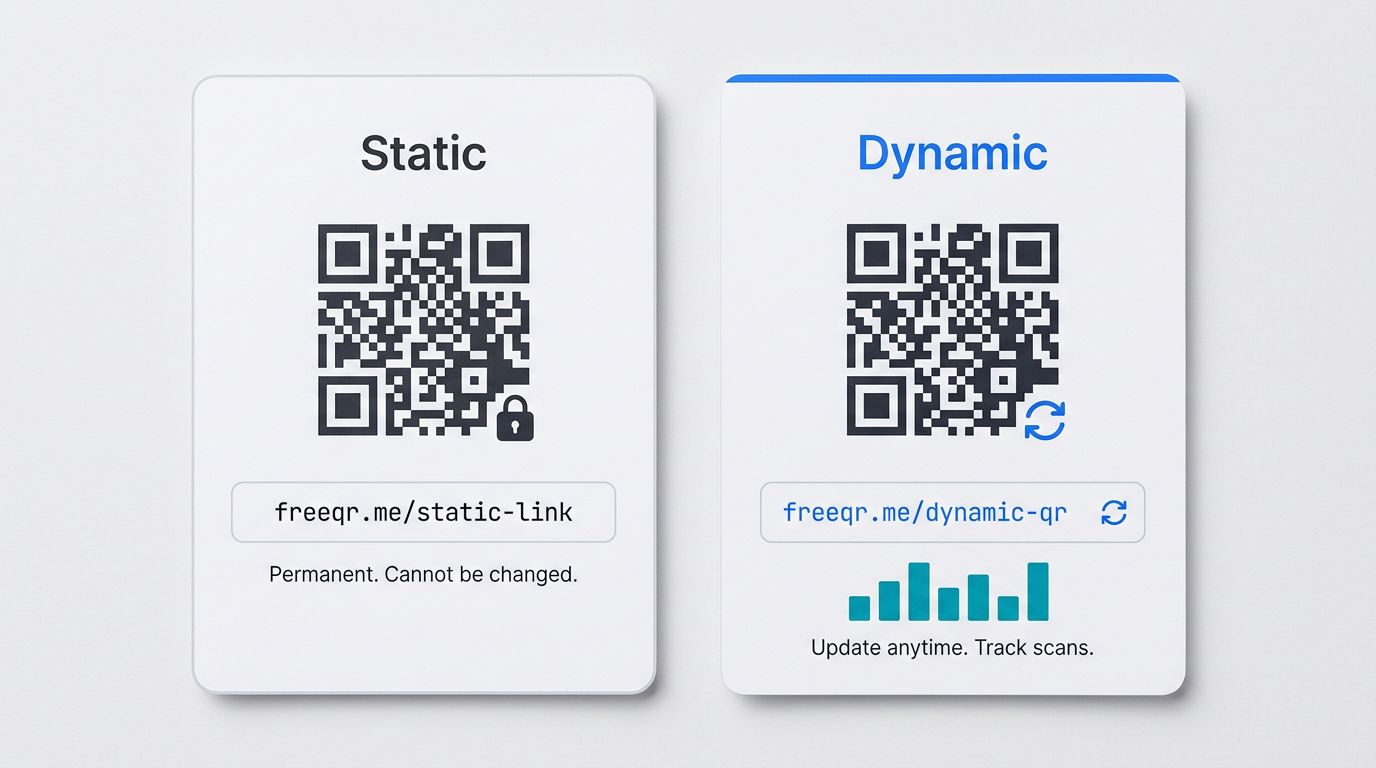
Platforms like FreeQR let you update your QR code's destination anytime, and see who scanned it, when, and where.
What Are QR Codes Used For?
QR codes are used for restaurant menus, mobile payments, product packaging, event tickets, contact sharing, marketing campaigns, and Wi-Fi sharing. Here are seven of the most common uses in detail.
Restaurant menus and ordering
This is probably the most visible use since 2020. A QR code on the table links to the restaurant's menu. Some go further, connecting to full ordering systems where you can browse, customize, and pay from your phone.
Payments and transactions
In many parts of the world, QR code payments are the default. Services like Venmo, Cash App, WeChat Pay, and various banking apps use QR codes for person-to-person and point-of-sale transactions. You scan a code, confirm the amount, and the payment goes through.
Product packaging and authentication
Brands put QR codes on packaging to share detailed product information, nutritional data, sourcing details, or assembly instructions. Some luxury brands use QR codes for authentication, letting buyers verify that a product is genuine.
Event tickets and check-in
Your boarding pass, concert ticket, or conference badge likely has a QR code. It's faster than manual check-in and harder to duplicate than a simple ticket number.
Business cards and contact sharing
A QR code on a business card can encode a vCard (a digital contact card). When someone scans it, your name, phone number, email, and other details are added directly to their phone's contacts. No typing needed.
Marketing campaigns with scan analytics
Dynamic QR codes on posters, flyers, direct mail, or product packaging let marketers track which placements actually drive engagement. You can see whether the poster in the subway station or the flyer at the coffee shop gets more scans.
Wi-Fi sharing
Instead of reading out a long password character by character, you can create a QR code that automatically connects someone's phone to your Wi-Fi network. Common in hotels, cafes, offices, and Airbnbs.
Key Takeaways
A QR code is a two-dimensional barcode that connects physical objects to digital content. "QR" stands for Quick Response.
QR codes store data in a grid of black and white squares that your phone's camera can read in under a second.
Static QR codes are permanent and free forever, but you can't change or track them. Dynamic QR codes can be edited and tracked after creation.
QR codes include built-in error correction, so they work even when partially damaged (up to 30% at the highest level).
From restaurant menus to payment systems to event tickets, QR codes bridge the gap between the physical and digital world.
Now that you understand what QR codes are, you might want to learn how to scan one on any device.
Want to try creating one yourself? You can make your first QR code with FreeQR in about 30 seconds.
Frequently Asked Questions
What is the purpose of a QR code?
A QR code connects physical objects to digital content. It bridges the gap between offline and online. A sign, business card, product package, or flyer becomes an instant link to a website, menu, contact card, or any other digital destination.
Do QR codes expire?
Static QR codes never expire. The data is encoded directly in the pattern, so they work forever without any service or subscription. Dynamic QR codes depend on the platform that created them. Some platforms expire dynamic codes when a free trial ends.
Are QR codes free to create?
Static QR codes are always free to create and use. Dynamic QR codes with scan analytics and editable destinations typically require a platform, though some (like FreeQR) offer a genuinely free plan with no hidden limitations.
What is the difference between a QR code and a barcode?
Traditional barcodes store data in one direction (horizontal lines) and hold about 20 characters. QR codes store data in two dimensions (both horizontal and vertical) and can hold over 4,000 characters. QR codes are also readable by any smartphone camera, while barcodes typically require a dedicated scanner. For a full comparison, see QR code vs barcode.
Published by FreeQR. FreeQR helps people create dynamic QR codes with built-in landing pages and scan analytics. Learn more about us.